Playbook
A playbook is the strategy guide your AI SDR uses for outbound outreach. It defines who you target, what you say, how you follow up, and how the AI should respond when prospects reply.
Playbooks power your campaigns. When you launch a campaign, the selected playbook acts as the AI operating guide for messaging, sequencing, and reply handling.
Overview
The Playbook module helps you:
- Define outreach strategy before launching campaigns
- Standardize messaging tone and positioning across teams
- Configure follow-up sequences and objection handling
- Control how the AI responds to interested, neutral, or negative replies
- Reuse proven outreach frameworks across multiple campaigns
What a Playbook Includes
Depending on how you create it, a playbook may contain:
| Area | Description |
|---|---|
| Playbook basics | Name, objectives, and campaign goals |
| Target audience | Personas, roles, and eligibility rules |
| Value proposition | Product benefits and market positioning |
| Outreach sequence | A published Sequence attached to this playbook — defines channels, steps, timing, and copy generated via Predefined Sales Strategies |
| Research and hooks | For each AI-written step: how much Ragworks researches a lead (Basic, Standard or Deep), and which facts the message may open on. See Research depth and hooks |
| Attachments | Files from the Asset Library attached to individual sequence steps — case studies, one-pagers, brochures |
| Response guidelines | Replies for interested, not interested, and meeting booking |
| Signatures | Email and LinkedIn signature structure |
Create your playbook before launching a campaign. A clear playbook improves AI-generated messages, reply quality, and overall campaign performance.
Creation Methods
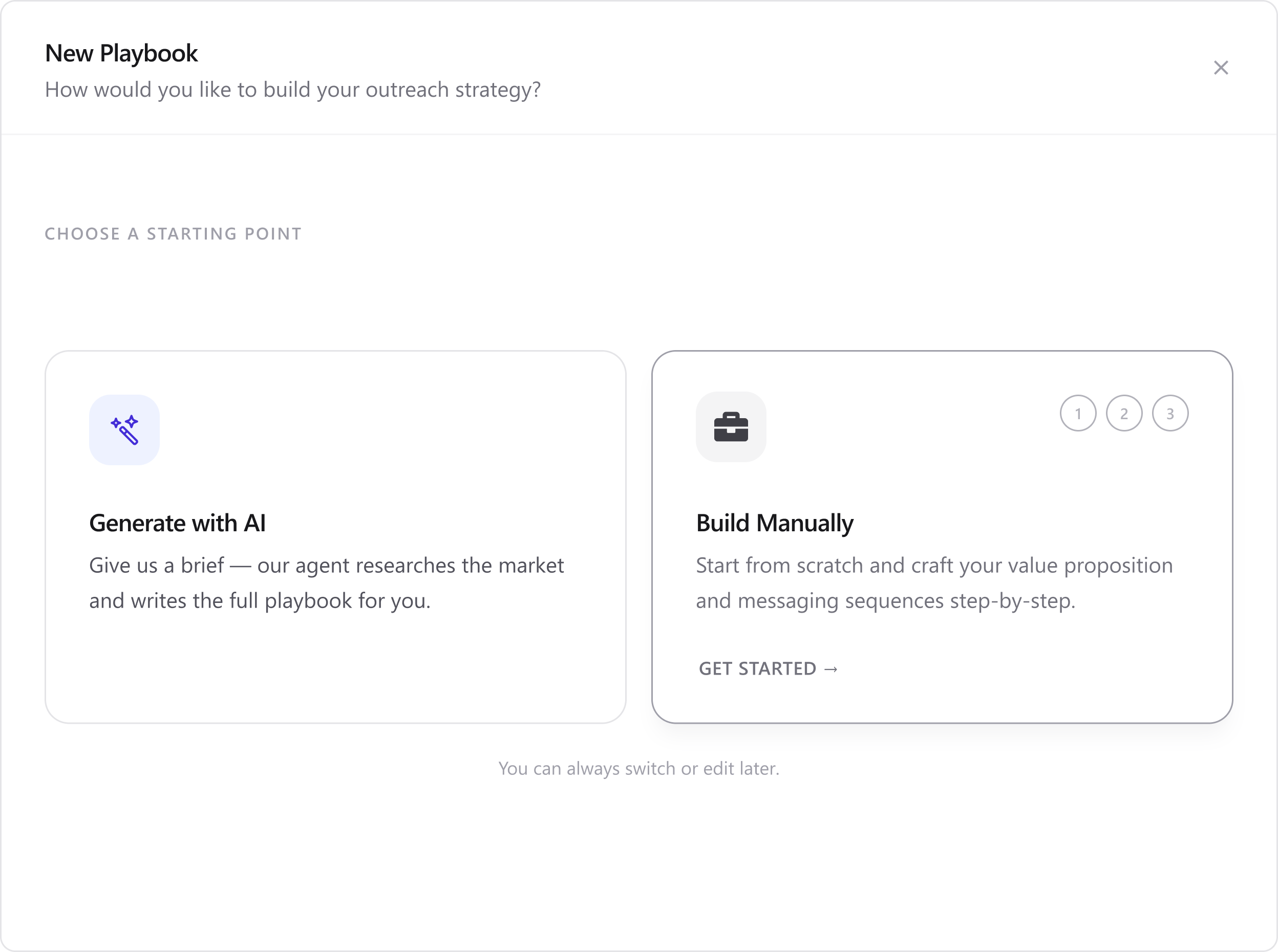
Ragworks offers two ways to create a playbook. Choose the method that fits your workflow.
| Method | Best for | Time to create |
|---|---|---|
| Generate with AI | Fast setup, first-time users, standard outbound use cases | Minutes (AI generates content) |
| Build Manually | Full control, custom sequences, niche industries, advanced teams | Longer (you configure each section) |
Generate with AI
Ragworks AI researches your business and automatically generates:
- Outreach messaging
- Value proposition
- Audience targeting
- Follow-up sequences
- Objection handling
Use this when:
- You are new to Ragworks or outbound automation
- You want a complete starting playbook quickly
- You have a company website and LinkedIn page available
→ Follow the full guide: Generate with AI
Build Manually
You configure each playbook section yourself in the Playbook Editor:
- Playbook basics
- Target audience
- Value proposition
- Outreach sequence
- Response guidelines
Use this when:
- You need precise control over every message and step
- You have an existing outreach framework to replicate
- You operate in a regulated or highly specialized industry
→ Follow the full guide: Build Manually
Get Started
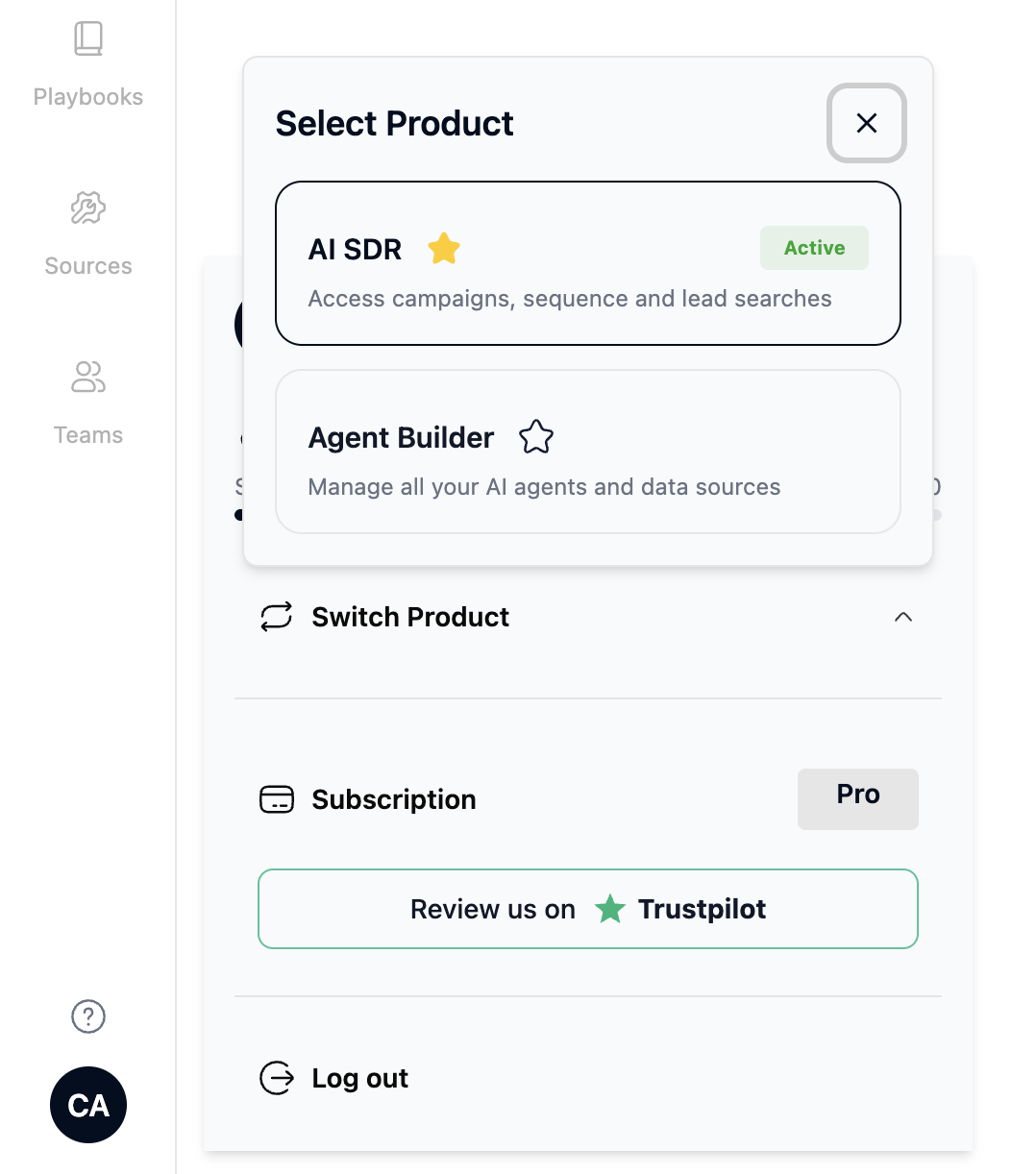
Before creating a playbook, make sure you are in the AI SDR product.
Playbooks attach to a published Sequence that defines the outreach steps and timing. If you plan to use a custom sequence (rather than one of the predefined templates), create and publish it before setting up your playbook.
Step 1: Open AI SDR
After logging into Ragworks:
- Open the profile/settings menu.
- Select AI SDR.
- You will be redirected to the AI SDR dashboard.
Step 2: Open Playbooks
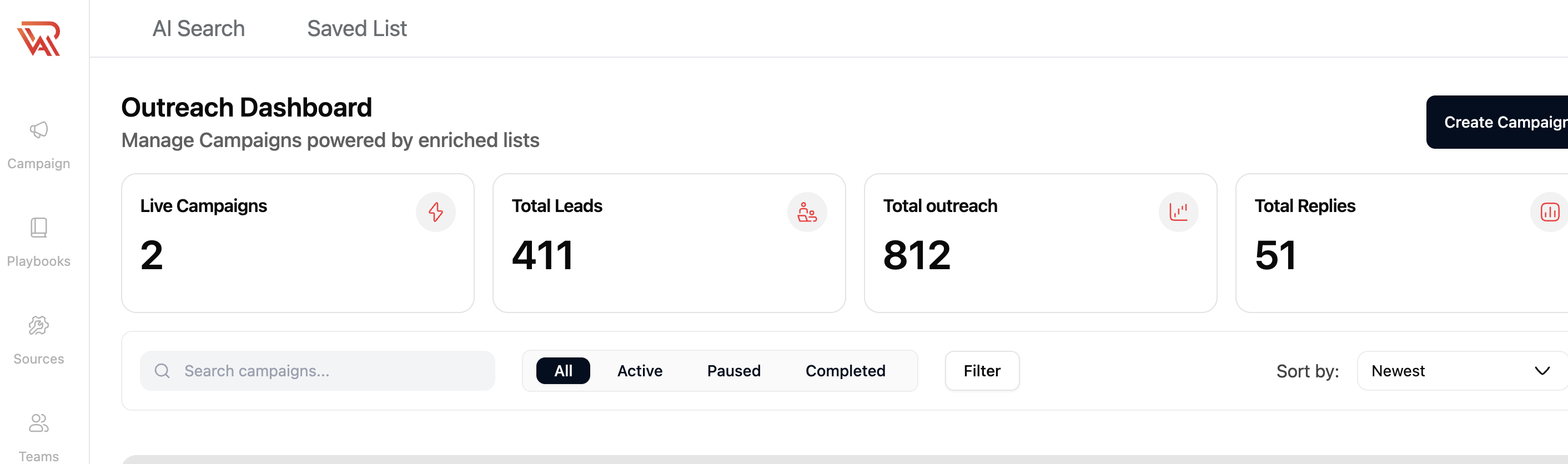
From the left sidebar:
- Click Playbooks.
You can view existing playbooks, check status, see connected campaigns, and search or manage playbooks from this page.
Step 3: Choose a Creation Method
- Click Create New + in the top-right corner.
- On the Choose a starting point screen, select one option:
- Generate with AI → full guide
- Build Manually → full guide
- Click Get started to open the setup flow.
Not sure which method to pick? Start with Generate with AI, review the output, then edit sections manually if needed.
How Playbooks Connect to Campaigns
Playbooks do not send messages on their own. They are selected when you create a campaign.
A playbook controls:
- Outreach messaging and tone
- Follow-up strategy
- AI response handling
- Objection handling
- Qualification logic
- Meeting booking behavior
After your playbook is ready, continue to Create a Campaign to launch outbound workflows.
Best Practices
A playbook is the brain of the campaign the AI agent behind each campaign uses it for sequencing, tone, and reply handling.
For detailed guidance (AI review priorities, cadence scripts, objection handling, exit rules, Calendly, and signatures), see Best Practices for Creating Playbooks.
Quick reminders:
- Start with Generate with AI when you need a fast draft; always review outreach sequence and response guidelines before publishing.
- Use clear, campaign-related playbook names and separate playbooks per industry, region, or offer.
- Never launch a campaign with an empty, draft, or unreviewed playbook.
Next Steps
- Create a Sequence — build the outreach flow your playbook will use
- Predefined Sales Strategies — choose from 7 persuasion frameworks to generate sequence messaging
- Generate with AI — faster alternative for first-time setup
- Create a Campaign
- Best Practices for Creating Playbooks