Starting a campaign from a qualifying list
You don't have to wait for a list to finish qualifying. Once more than half of its leads have been scored, you can create a campaign from it. The leads that passed so far go in, and the rest join as they pass.
When Create Campaign opens
Until half the list is scored, Create Campaign is disabled and its tooltip says what is left:
Not yet. Opens once more than half of the leads are scored: 176 of 350, in about 2 days. Leads keep joining the campaign as they pass.
"Scored" counts every lead that has been looked at: qualified, rejected and couldn't score. A list that is still collecting leads can't start a campaign, and neither can one that already belongs to a campaign.
Which leads join, and when
- Qualified leads join the campaign. If the list enriches, a lead joins once its enrichment has been tried, so the campaign has its email. A list without enrichment copies each lead the moment it passes.
- Rejected leads never join. A lead you rescue with Qualify anyway joins like any other pass.
- Leads that couldn't be scored don't join.
- A lead already in another of your campaigns is skipped, as it is for any list, so nobody gets two sequences. The list shows how many were skipped and why.
The list stays connected to its campaign: leads that pass later keep joining, and nothing needs to be started again.
The campaign picker
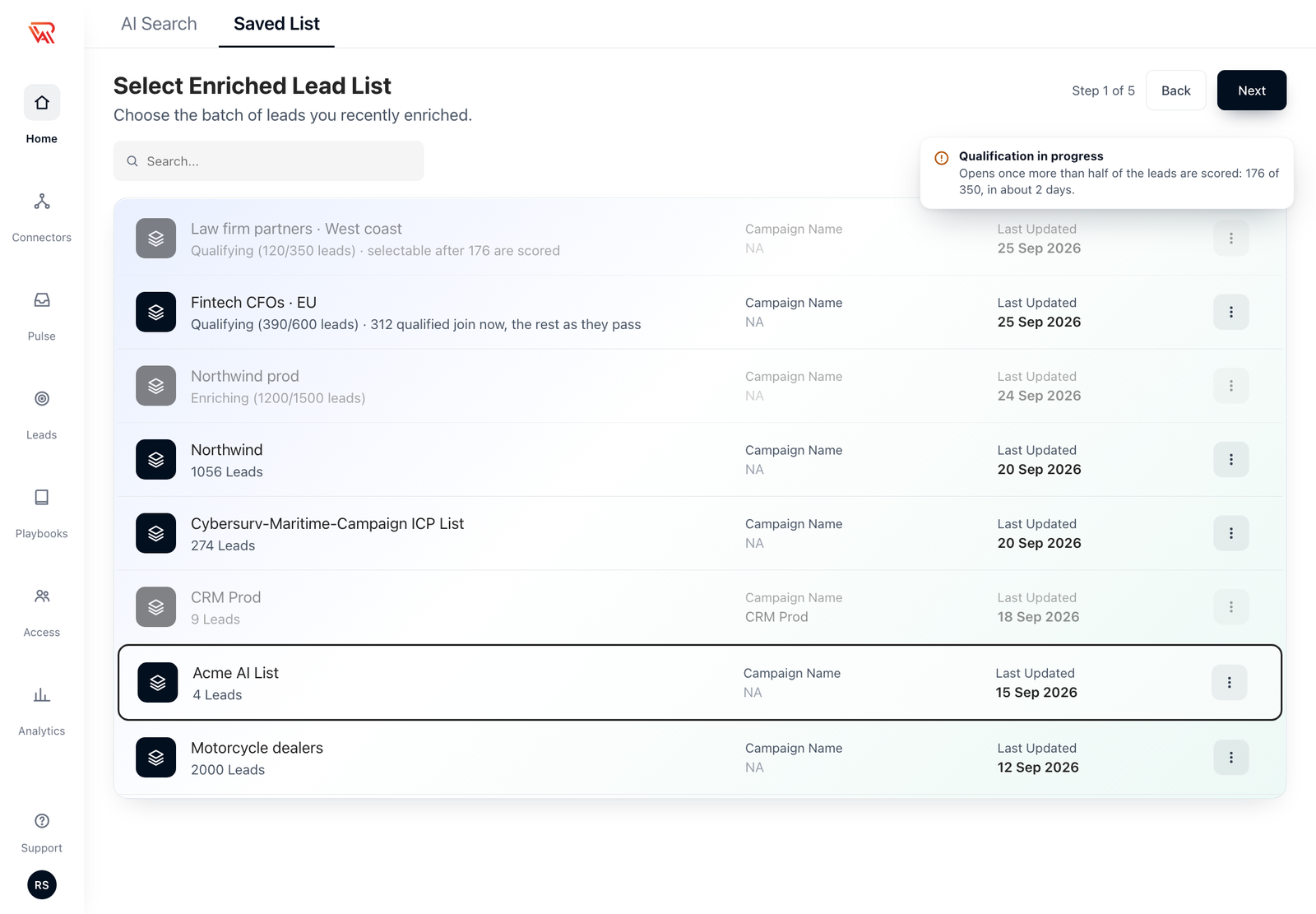
Step 1 of the campaign wizard shows each list with its stage after the lead count.
| Row says | Meaning |
|---|---|
| Qualifying (120/350 leads) · selectable after 176 are scored | Less than half is scored. The row is greyed, and clicking it explains why. |
| Qualifying (390/600 leads) · 312 qualified join now, the rest as they pass | Past half. You can pick it. |
| Enriching (1,200/1,500 leads) | Still enriching: greyed until it finishes. |
| The name of a campaign | The list already belongs to that campaign. |
| Just the lead count | A ready list, exactly as before. |
The same stage appears under the name on the Saved List page.
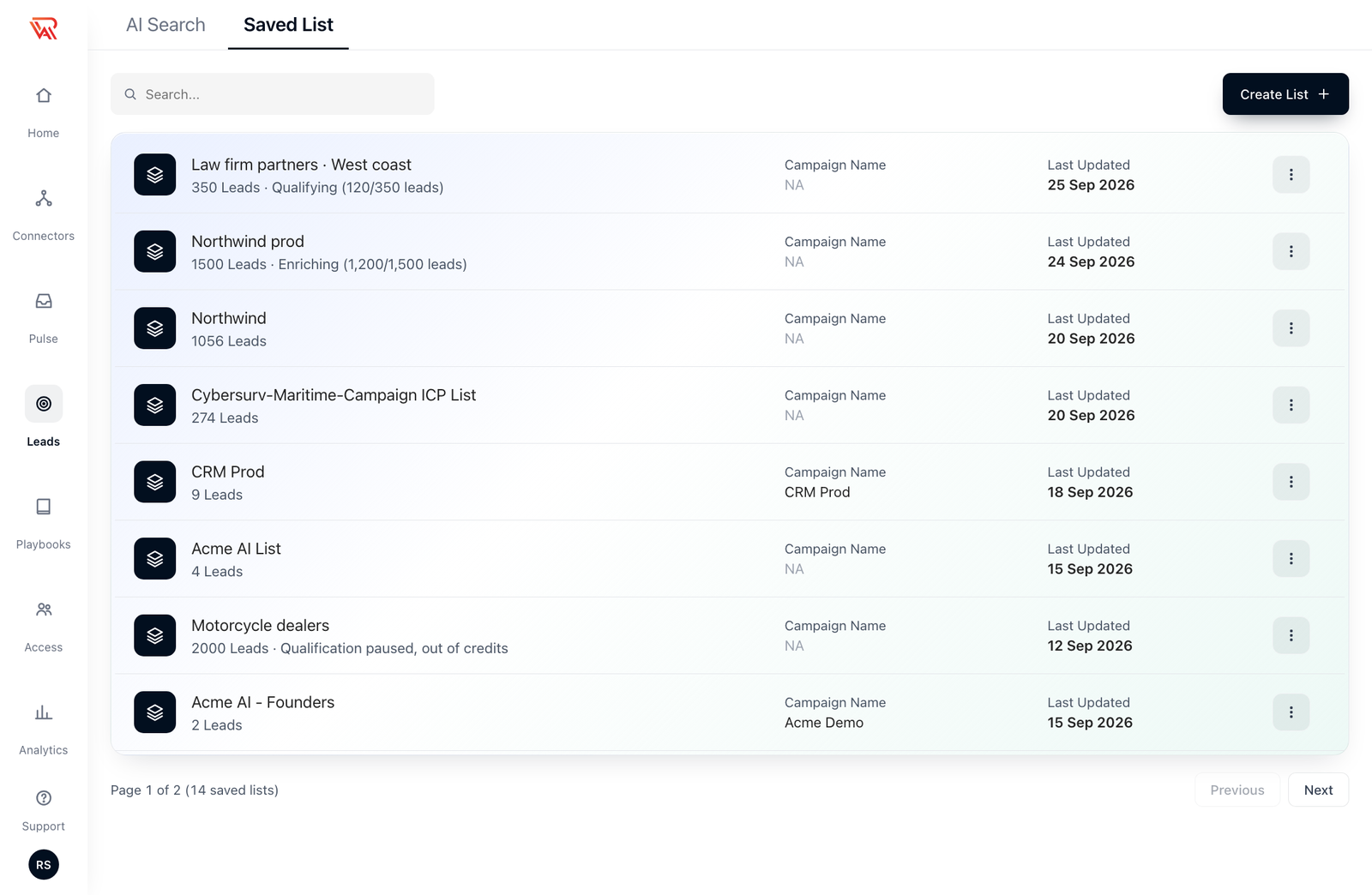
A list whose qualification is paused shows why, for example Qualification paused, out of credits, so you know what to fix before relying on it.
Scores go with the leads
A lead keeps the score it earned on the list when it joins the campaign, so you aren't charged to score it twice. The one thing that can change this is the optional box under Enable lead scoring in the campaign's settings, where you can override the eligibility criteria used for scoring:
| In the campaign | What happens to the list's scores |
|---|---|
| Box left empty | They stand. |
| Same words as the list's instructions | They stand. |
| Different criteria | Those leads are scored again against the campaign's criteria, charged as scoring, and the campaign shows the new score. |
A score from before you edited the list's instructions counts as a different one, so those leads are scored again too.