Connect a Telegram Bot
Link an agent to a Telegram bot so it can chat with users directly inside Telegram.
Overview
Connecting Telegram is a two-part process:
- Link the bot (this page) — an admin creates a Telegram bot via BotFather and pastes its token into Ragworks.
- Generate a link code — an admin generates a code and shares it with the end user, who enters it in Telegram to pair their account with the agent.
How to Connect a Telegram Bot
Step 1: Open the Agent
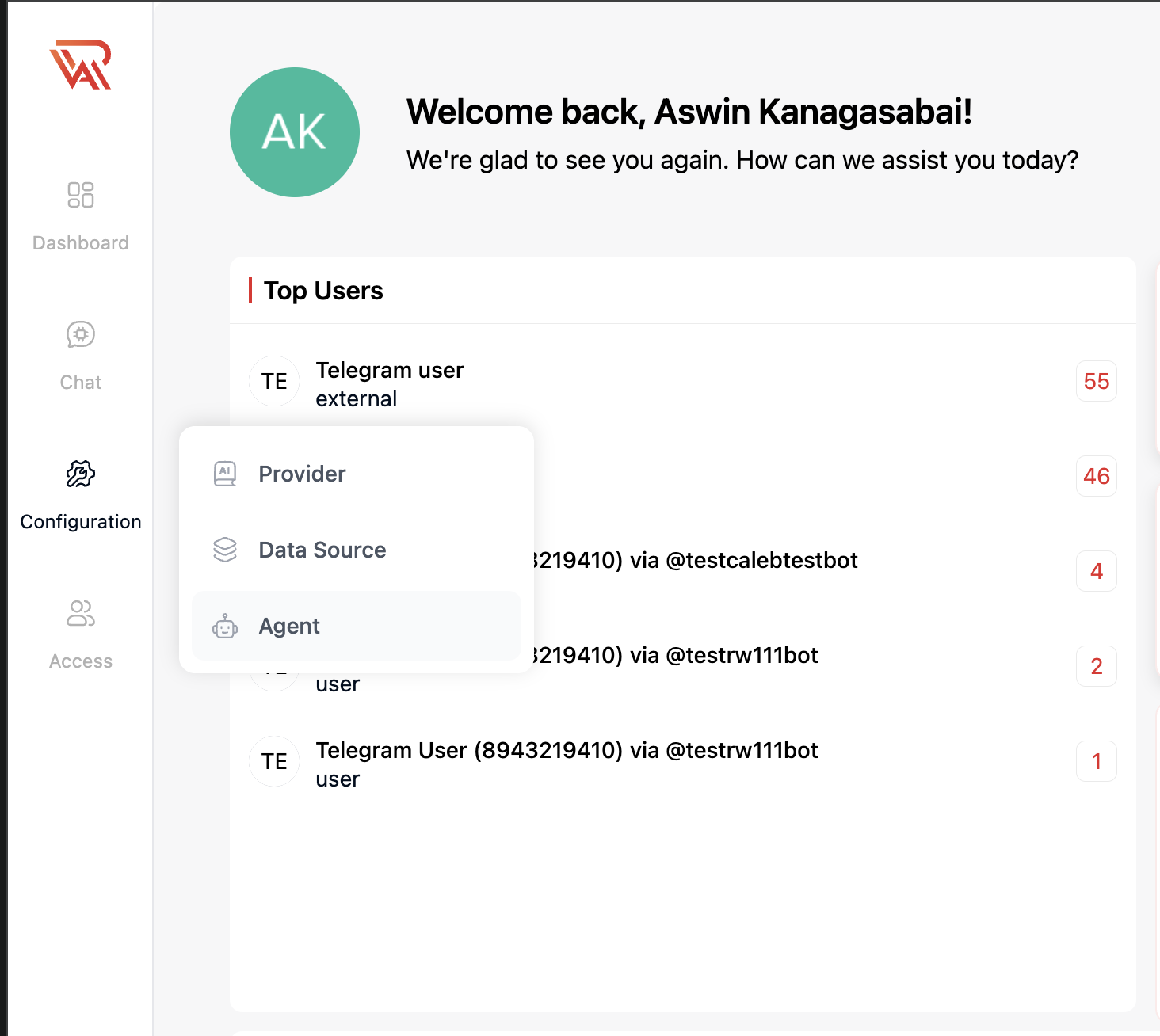
- From the left sidebar, click Configuration.
- Select Agent.
Step 2: Open Connect Telegram
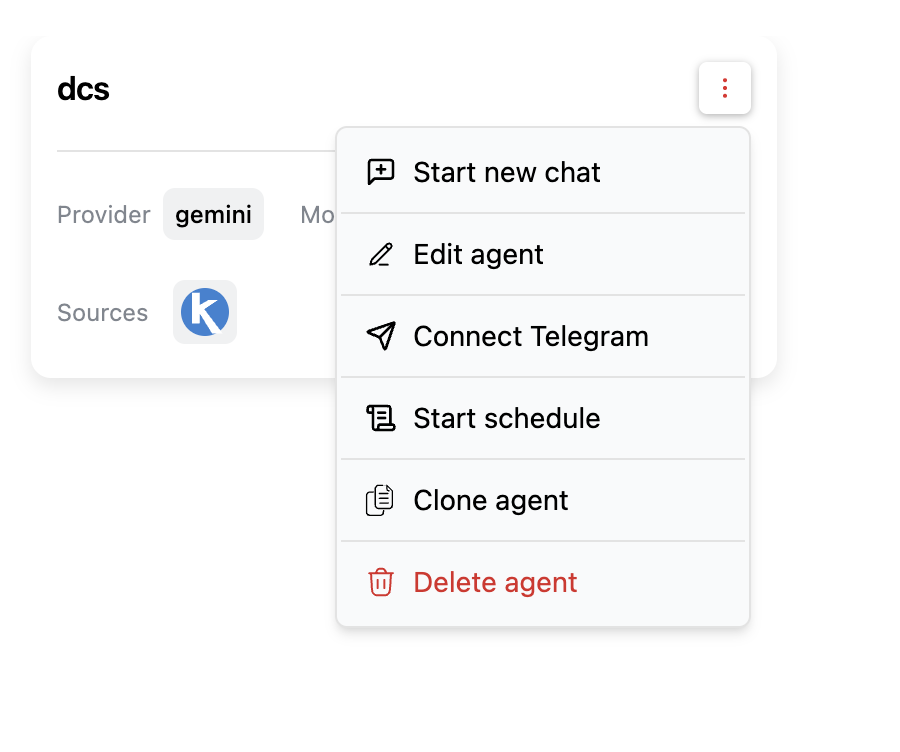
On the agent you want to connect, click the agent menu (⋮) and select Connect Telegram.
Step 3: Create a Bot with BotFather
In Telegram, open a chat with @BotFather and create a new bot. BotFather will give you a bot token.
Step 4: Paste the Bot Token
Paste the token into the Bot token field in the Connect Telegram dialog and click Link bot.
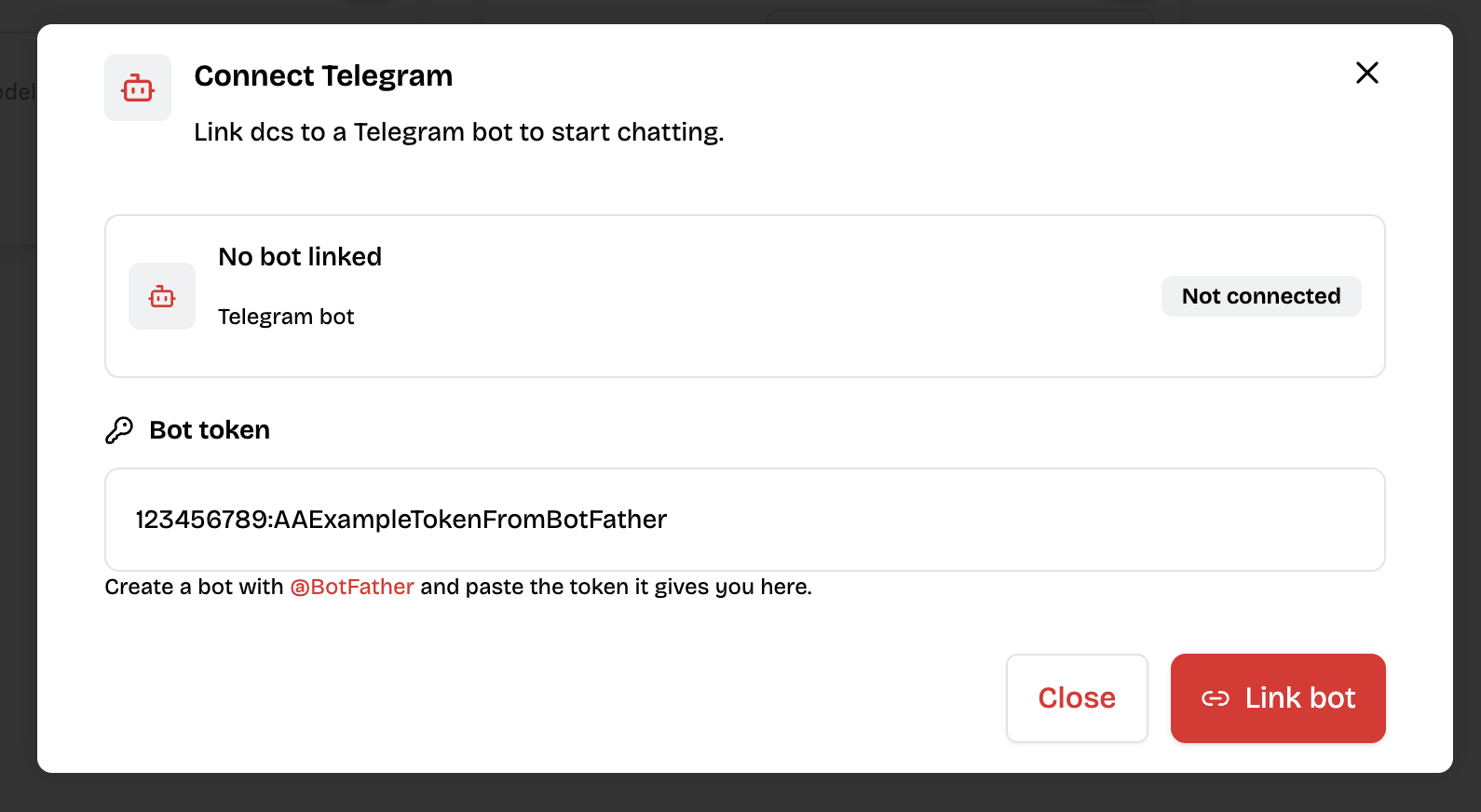
Once linked, the dialog shows the bot as Connected, and you can generate a link code to pair users with it — see Generate a Link Code.
tip
To disconnect the bot, reopen Connect Telegram and click the disconnect icon next to the connected bot.