When a signal pauses
A signal stops for a reason, and it always says which. The reason appears as the signal's status on the dashboard and as the outcome of its latest run. This page lists every one, what it means, and what to do, with the ones that need something from you first.
Needs something from you
Reconnect your LinkedIn account
The connected account the signal reads through has lost its session, so nothing can be read. Reconnect it under Datasources, and the signal picks up at its next scheduled hour. This only affects your-audience signals; market and trigger signals don't use the account.
This account needs Sales Navigator
The Job changes signal reads a Sales Navigator saved search, and the account it's tied to has no seat. Either add a seat to that account, or create the signal on an account that has one.
You need to be an admin of that company page
The New company-page followers signal can only read the followers of a page the connected account administers. Make the account an admin on LinkedIn, or pick a page it already manages.
Paused: you're out of signal credits. Buy more to carry on
The balance can't cover the next qualified lead. Top up under Signals → Billing and credits. The next run after that carries on, and finds again anyone it couldn't pay for.
Paused: your monthly spend limit was reached
This signal spent its monthly limit. Raise the limit on the signal's page, or wait for the first of next month.
Needs attention: a saved list was deleted
One of the lists this signal feeds no longer exists. Create a new signal pointing at a list that does; the old one keeps its history.
Paused: too few people qualified
Over the last week this signal scored at least fifty people and fewer than one in ten (10 %) cleared the bar. The signal's page shows it as Pauses itself below 10% next to its recent yield. Scoring is free, but a signal that reads a lot and keeps almost nothing is usually pointed at the wrong people. Look at Filtered out and the list's fit description and bar, then resume it from its page. It won't pause again for this reason until another week has passed.
Waits on its own
These clear by themselves. The signal says so, and there's nothing you need to do.
Paused: today's LinkedIn request limit was reached
Your-audience signals share a small daily allowance of requests through the connected account, kept small so the account stays safe. Today's is spent, by this signal or others on the same account. The run happens tomorrow.
Paused: today's lead limit was reached
The daily share of a limit was used up. The remainder is scored tomorrow; the people who were waiting show in the Waiting tile until then.
Paused: today's data limit was reached
Ragworks caps what it reads from each data source per day, per organisation. The signal continues tomorrow.
A data source is slow. We'll try again
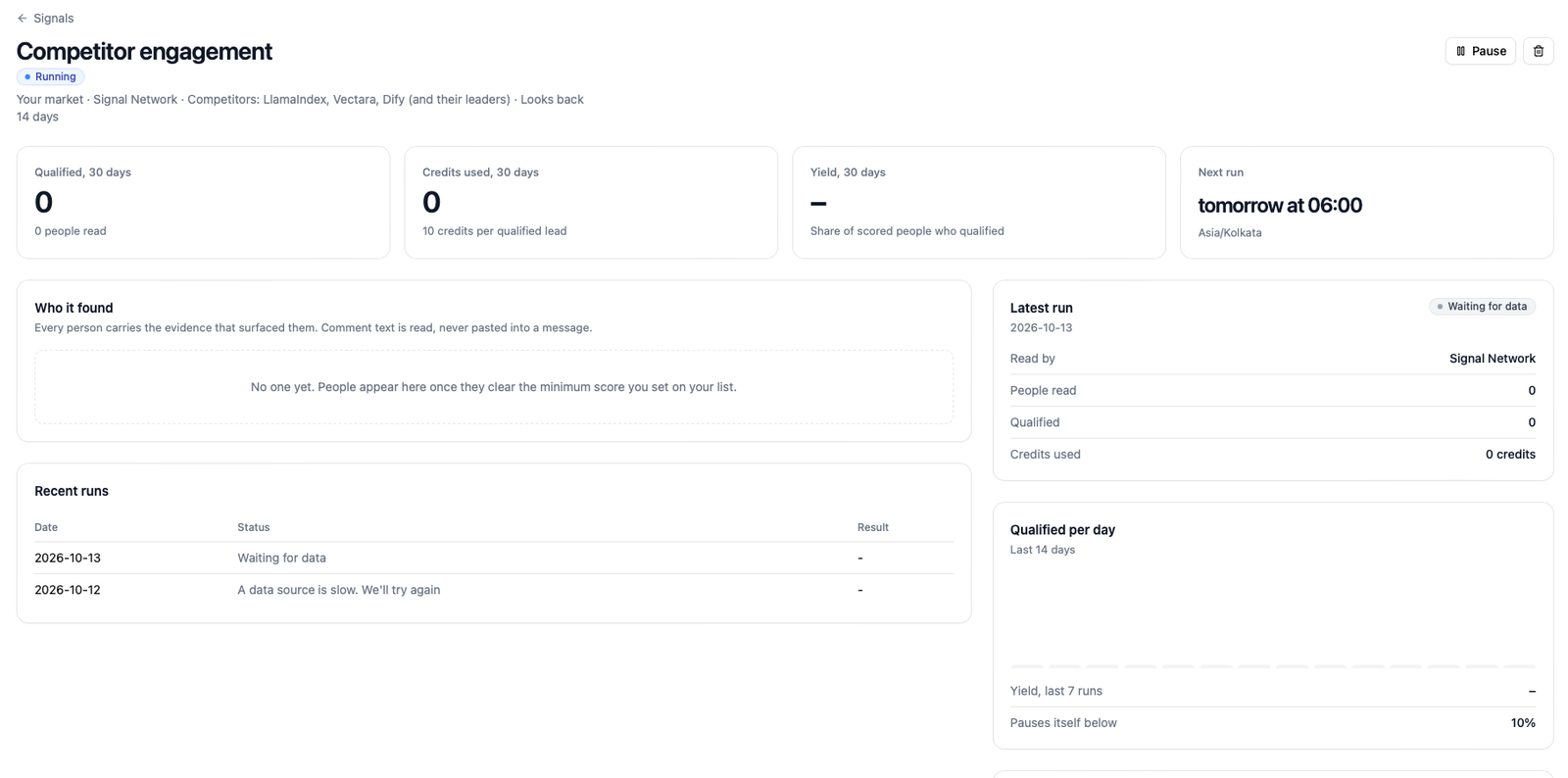
A public source didn't answer in time. The run is retried two and four hours after its scheduled hour, and the next day if need be. Your account isn't involved.
Paused: we couldn't check your signal credits. We'll try again
The billing service didn't answer. Nothing was charged; the next run tries again.
Not available yet
The signal's kind of data source isn't switched on for your organisation yet. The catalog shows such signals as unavailable; if you see this on an existing signal, it will start when the source is enabled.
Paused by you
Paused
You paused it. Resume it from its page. Paused signals read nothing and spend nothing.
Cancelled
A run was stopped part-way, usually because the signal was paused or deleted while it was running. Whatever it had already qualified stays on your list.
Reading the latest run
On a signal's page, the Latest run panel shows the outcome with the full counts: how many were seen, how many were left out and filtered and why, how many were scored, and how many qualified. When a signal pauses, this panel is the quickest way to see whether the pause came before the reads (nothing seen) or after them (people seen, nobody kept).