The signals you can set up
The Add a signal page lists every kind of signal, grouped by where its data comes from. Some are ready to add, some are shown as Coming soon, and a few need something from your account first (a Sales Navigator seat, say). This page goes through all of them: what each one actually reads, what counts as the signal, and what you'll be asked for when you set it up.
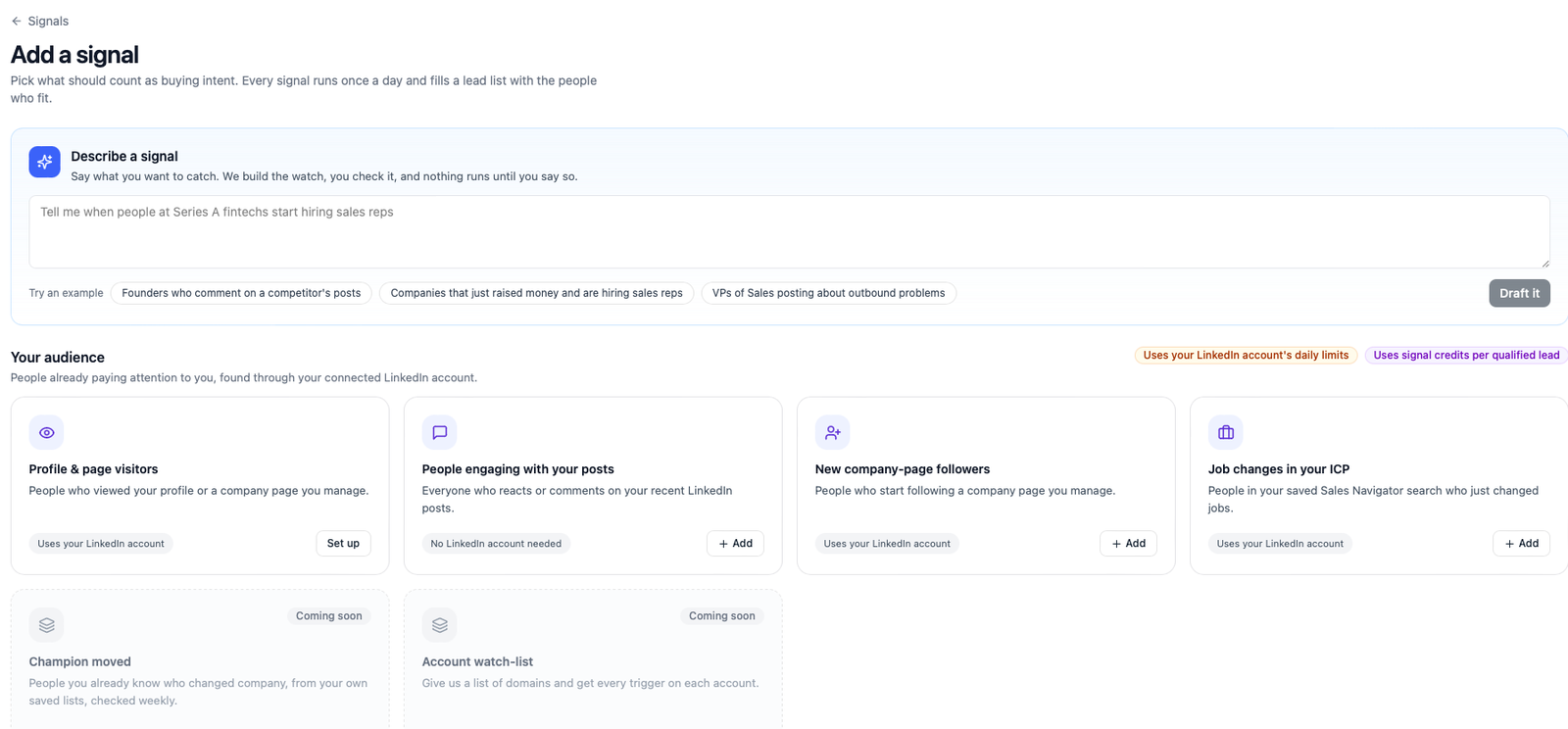
Your audience
These read through your own connected LinkedIn account, because what they watch belongs to you: your posts, your company page, your saved searches. That has two consequences worth knowing.
First, every read costs one request against that account's daily allowance, which Ragworks keeps small on purpose so the account stays safe with LinkedIn. A signal that would need more requests than are left today waits for tomorrow rather than pushing its luck. Second, these reads are silent: nobody gets a "viewed your profile" notification, and nothing is ever posted or sent from the account.
Your-audience signals need a connected LinkedIn account. If you have several, each signal is tied to one of them. See LinkedIn Datasource for connecting one.
People engaging with your posts
The setup is the form shown under Adding a signal: the account, your titles, your lists.
Reads your own recent LinkedIn posts and collects everyone who reacted or commented on them.
- What counts. A reaction is a light signal. A comment is stronger, and a comment that shows buying intent ("we're looking at this right now", "how does this compare to X?") is the strongest kind of evidence a signal can produce. Ragworks reads comments with a small model and labels them: evaluating, uses a competitor, switched away, well-wisher, staff, job seeker. Only the first three can ever shape a message in a campaign; the rest are kept as context.
- How far back. Each post is read when it's first seen and once more about three days later, to catch the comments that arrive late. After that it isn't re-read, so an old post doesn't keep costing requests.
- What you set. The account to read through, your job titles, your lists. There is nothing else to configure.
New company-page followers
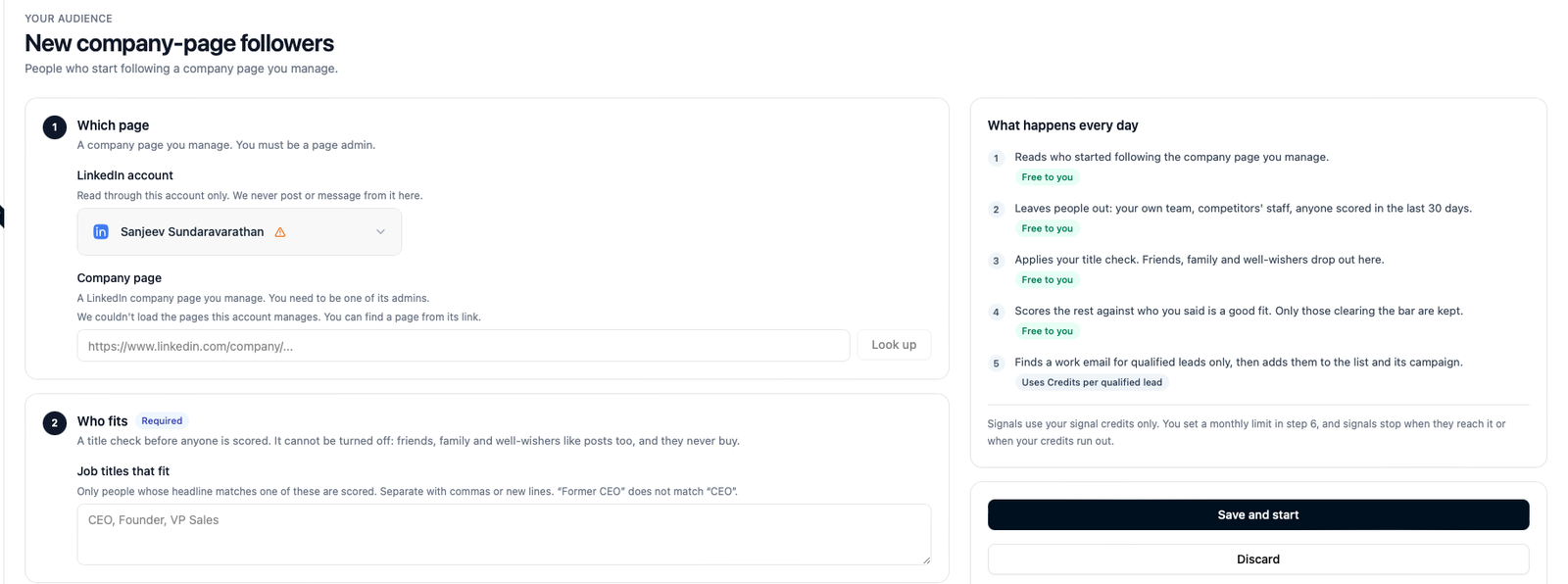
Watches a LinkedIn company page you manage and picks up each person who starts following it.
- What counts. A new follow. It's a light signal on its own, but a follow from someone with the right title is a good one, and it stacks with anything else they do.
- What you need. You have to be an admin of the page on LinkedIn, through the account you connected. When you set the signal up, the page picker lists the pages your account administers; pick one from the list. If a page you manage isn't listed (you were made an admin after connecting, say), you can paste its link instead and Ragworks looks it up through your account.
- If the account isn't an admin, the signal pauses with You need to be an admin of that company page and tells you so on its page.
Job changes in your ICP
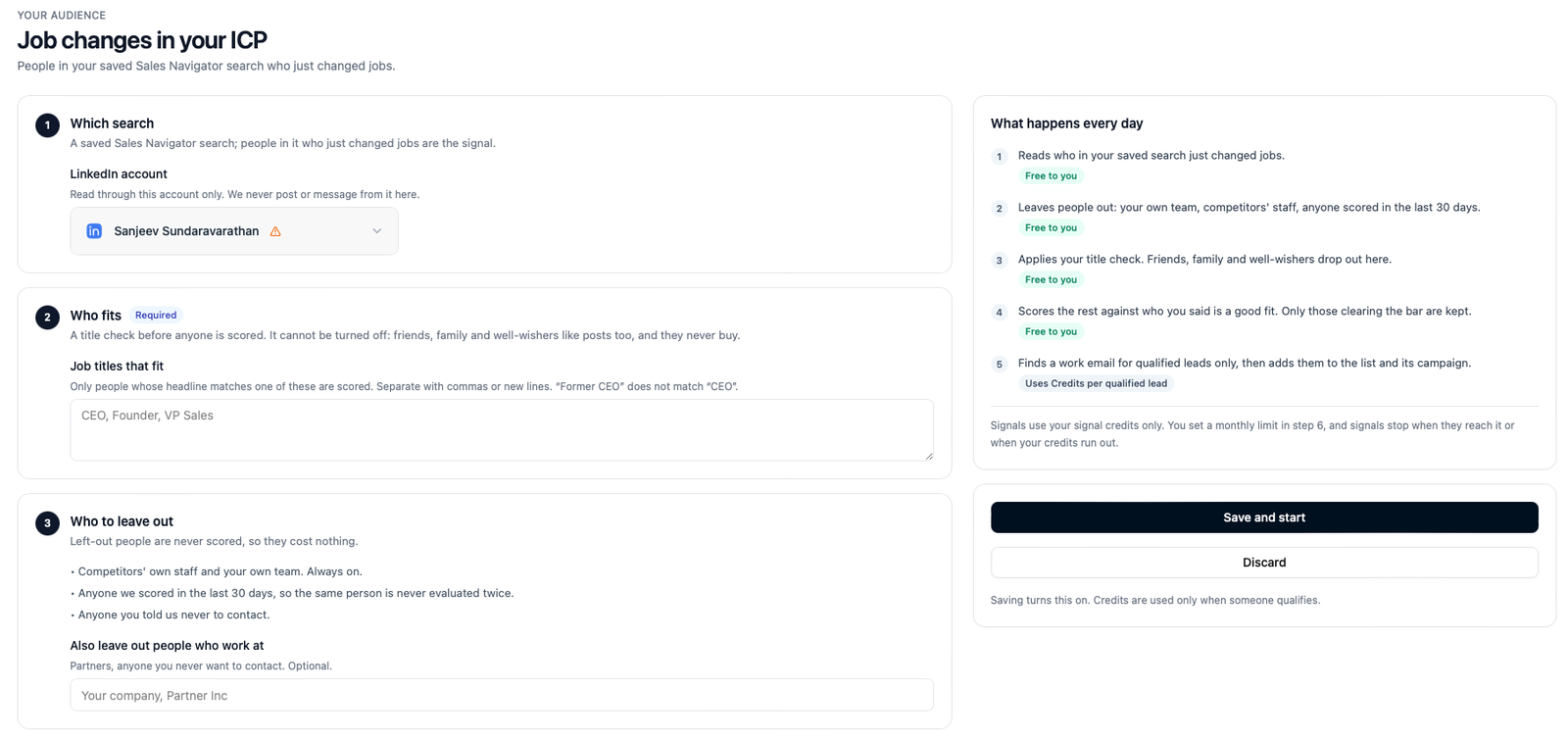
Watches a Sales Navigator saved search and tells you when someone in it changes jobs.
- What counts. A person in the search whose current company changed. A job change is one of the best-known buying moments: new people bring in the tools they trust, and they have budget to prove themselves with.
- What you need. A Sales Navigator seat on the connected account. Without one, the catalog shows this signal as unavailable for that account; with one, you paste the link of your saved search.
Profile & page visitors
Shown in this group for completeness, because it belongs here. Profile visitors have their own setup under Leads → Profile Visitors, and the Signals dashboard reports them alongside your signals so you can see everything in one place. See Profile Visitors.
Your market
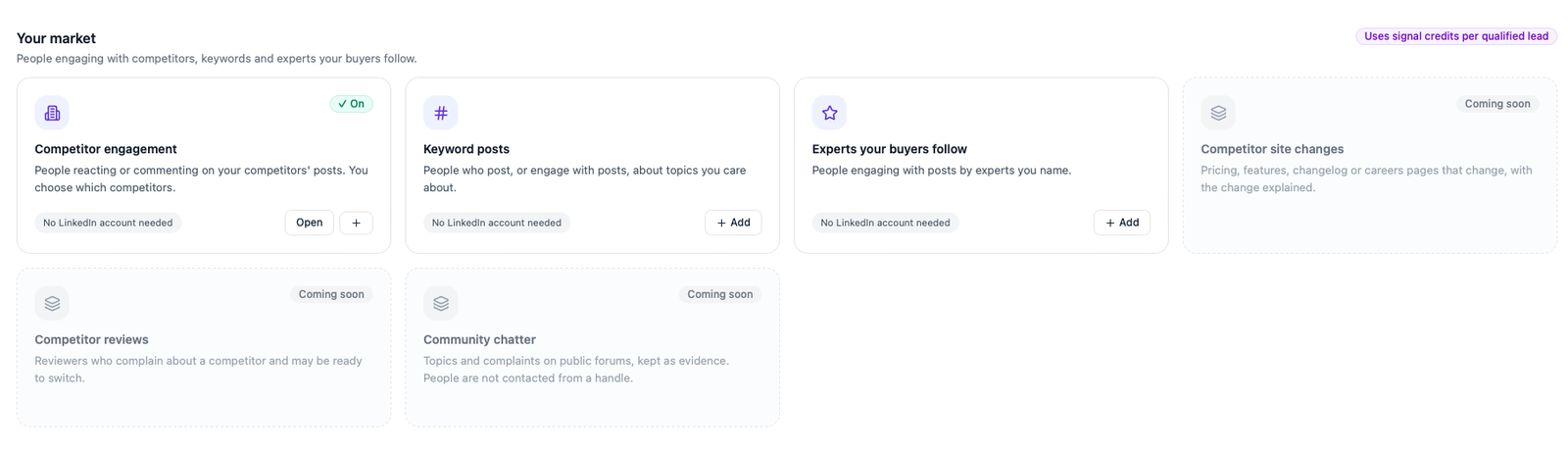
None of these touch your LinkedIn account. They are public reads through Ragworks' own data sources, so they don't share the daily allowance your outreach uses, and a slow source only delays the run, never your account. The catalog marks them No LinkedIn account needed.
Market signals score people from their public profile: headline, current company, followers. That's enough for the title check and for the company-level parts of your fit description.
Competitor engagement
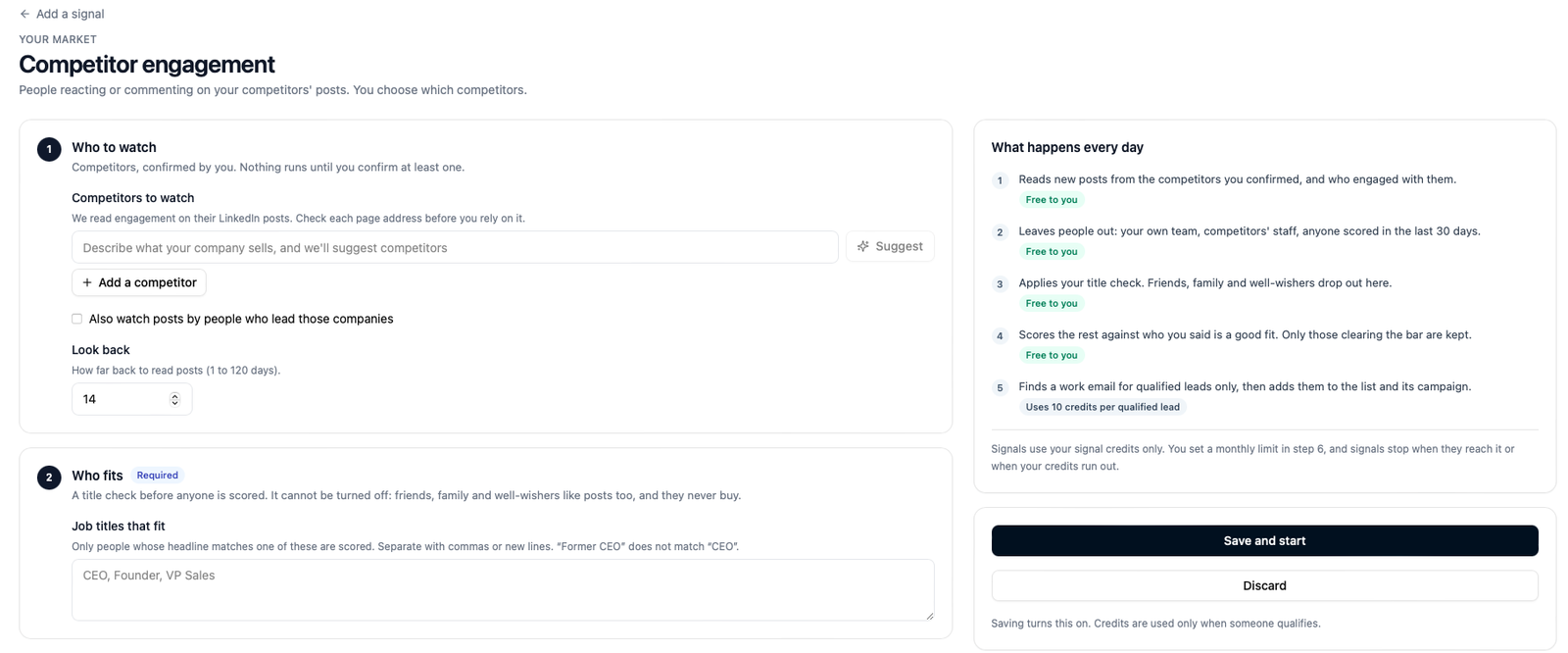
Reads the recent posts of the competitors you name and collects everyone who engaged with them.
- What counts. Reactions and comments on a competitor's posts, read the same way as on your own posts. A comment that shows someone is evaluating, or already using, the competitor is the strongest signal here.
- What you set. The competitors to watch, each with its LinkedIn company page. You can add them yourself with Add a competitor, or describe what your company sells in the box and click Suggest: Ragworks proposes competitors and you keep the ones you recognise. Nothing runs until you confirm at least one: a suggestion is only a suggestion. You can watch up to ten.
- Also watch the people who lead them. Tick Also watch posts by people who lead those companies to include what each competitor's own leaders post, which is often where the sharpest comments are.
- Look back. How many days of posts to read, up to 120. The default is 14.
- Who is left out automatically. The competitor's own staff. Someone whose headline names a competitor you watch is dropped before anything else, and so is anyone at your own company.
Keyword posts
Finds public posts about the topics you care about and collects the people who wrote them and engaged with them.
- What counts. The post's author is a medium signal (they're thinking about the topic in public). People who engaged with the post are lighter, unless their comment shows intent.
- What you set. Up to ten keywords or phrases, and how far back to read (1 to 120 days). Use the words your buyers use when they complain, not your product category: "SDR churn" finds better people than "sales automation".
Experts your buyers follow
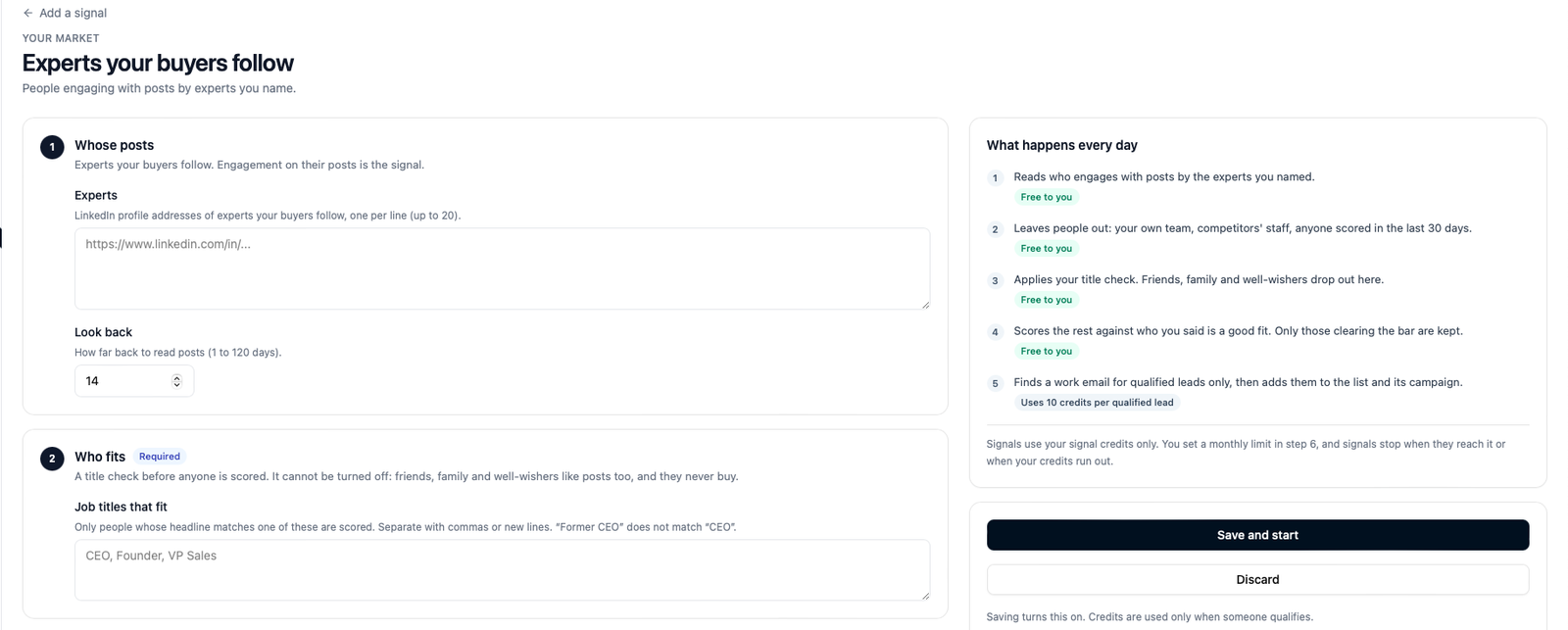
Watches the posts of the people your buyers listen to and collects who engages with them.
- What counts. Engagement on an expert's post. The expert isn't the lead; the people reacting to and commenting on them are.
- What you set. Up to twenty expert profile links. Think of the analysts, authors and practitioners whose posts your best customers share.
Company triggers
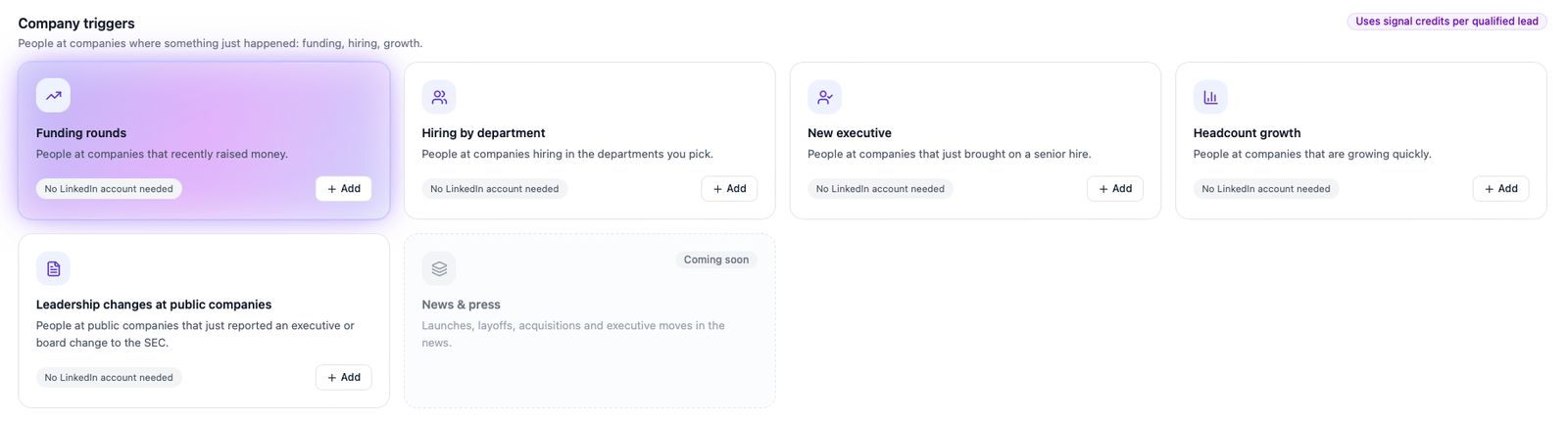
These watch companies, not people, and then find the people at those companies who fit your titles. They are useful when the moment matters more than the person: a company that has just raised money, or is hiring hard in one function, is in motion, and the right person there is likelier to take a call.
Company triggers read public and licensed company data; your LinkedIn account isn't used.
The settings every trigger signal shares
Every trigger signal asks for the same three things, on top of your job titles:
- Look back. How recent the event must be, from 7 to 120 days. The default is 60.
- Only these companies (optional). Leave it on The whole market and the signal looks at every company where the event happened, or pick a watch-list: a named list of up to 500 companies, managed under Signals → Watch-lists and reused across signals. Watch-lists are the usual choice once you know your target accounts. Until you've made one, the form says No watch-lists yet and links to where to create one.
- People per run. The most people the signal will look at each day, from 1 to 200 (default 100). It's a cap on how much a single noisy day can read.
Funding rounds
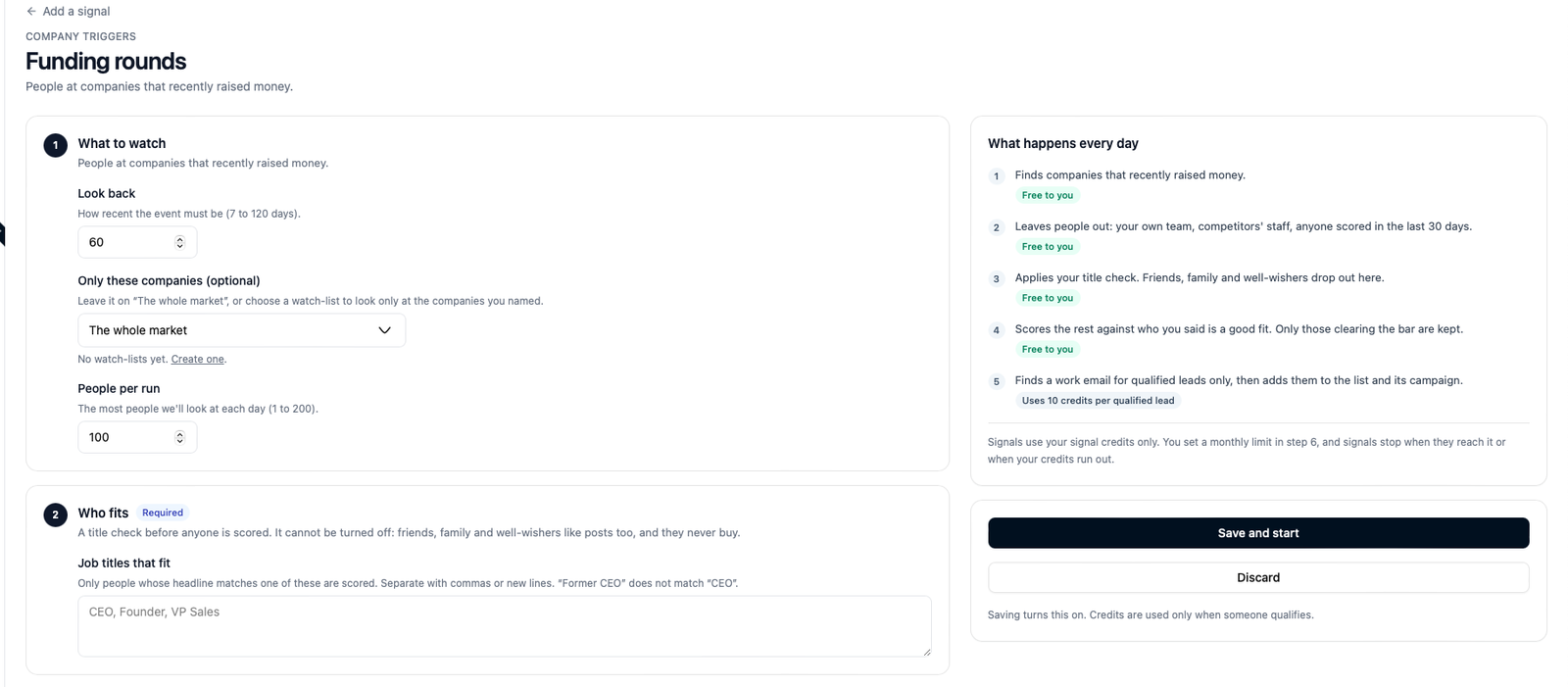
A company on your list announced a funding round. Ragworks then finds people there with your titles and scores them.
Hiring by department
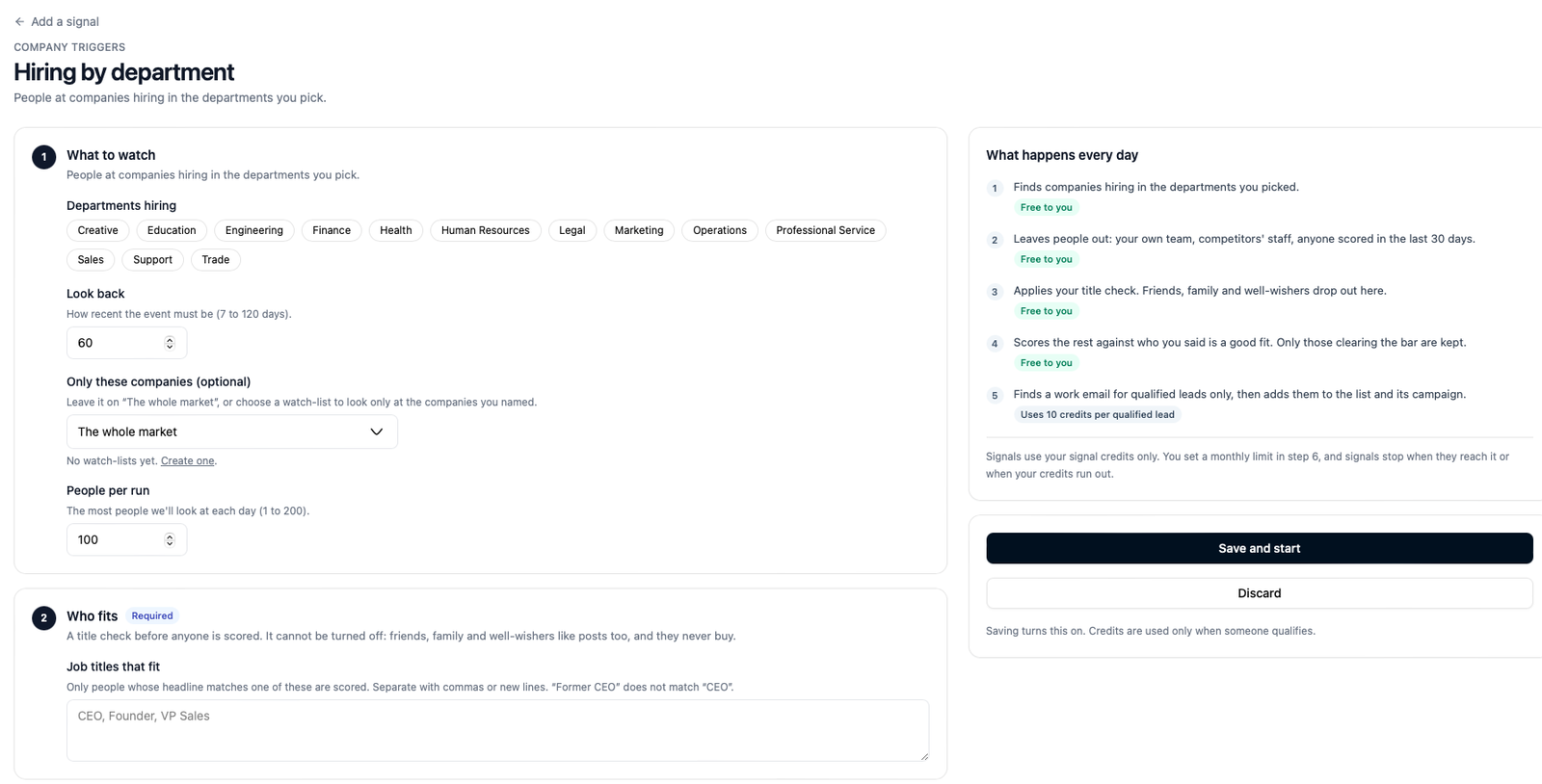
A company is posting jobs in one or more departments you pick: engineering, sales, marketing, operations, finance, legal, support and so on (thirteen in all, shown as chips you tick). A sales team that's suddenly hiring ten reps is about to need tools.
Headcount growth
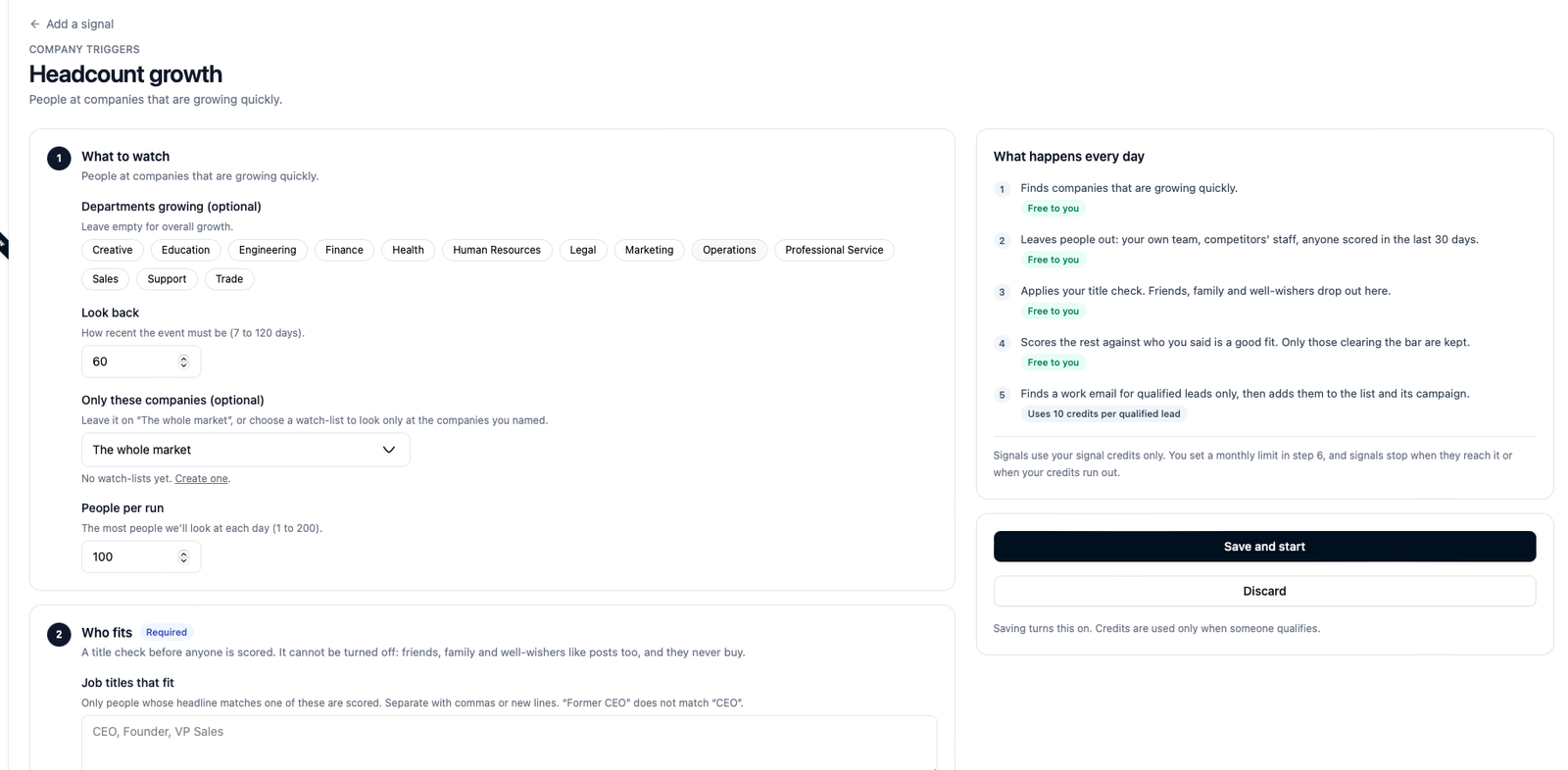
A company's headcount is growing. The signal reads the change over your look-back period and surfaces the companies, and then the people, where growth crossed the threshold. Tick one or more departments to watch growth in just those, or leave them all unticked to watch overall growth.
Leadership changes at public companies
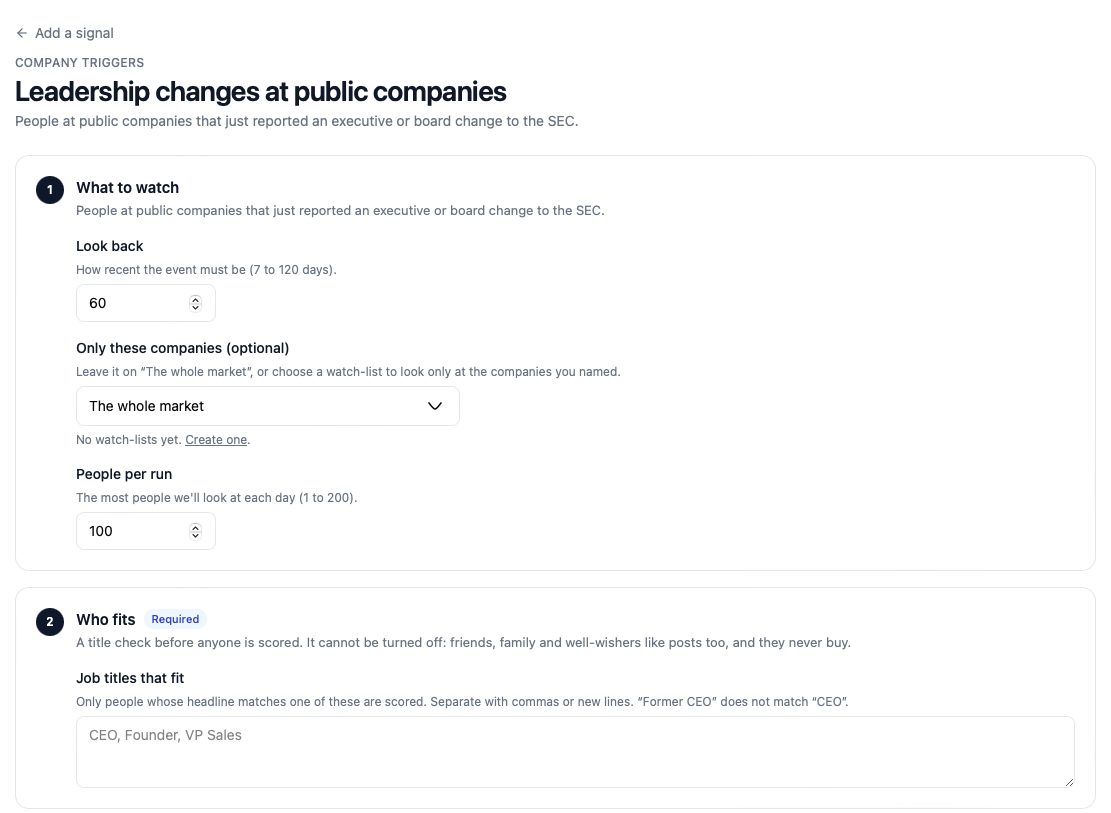
Reads the public filings that US-listed companies make when an executive joins or leaves, and finds the new leadership at the companies on your list. This one is free of any third-party data source: it reads the public record directly.
New executive
A new executive joined a company you watch, from a broader data source than the public filings above. Shown as Not available yet while it is being verified.
Your tools
Coming soon. This lane will let your own systems tell Ragworks about intent: a demo booked on your website, a form filled, a trial started, a CRM stage changed. Instead of running once a day, such a signal would wait for your tool to send an event, and then score and route the person the same way as every other signal. Until it is ready, the card is shown as Coming soon and can't be added.
Coming soon, elsewhere
A few more cards in the catalog are marked Coming soon: a weekly check for champions who moved company, an account watch-list that reports every trigger on each account, competitor website changes, competitor reviews, community chatter, and news. They are listed so you can see where the feature is going; none of them can be added yet.