Reading the results
Once a signal has run, two places show you what it did: the Signals dashboard, which covers every signal over the last 30 days, and each signal's own page, which goes down to the individual people. This page explains every number and label on both, so that when a tile says Filtered 155 you know exactly what happened and what, if anything, to change.
The dashboard
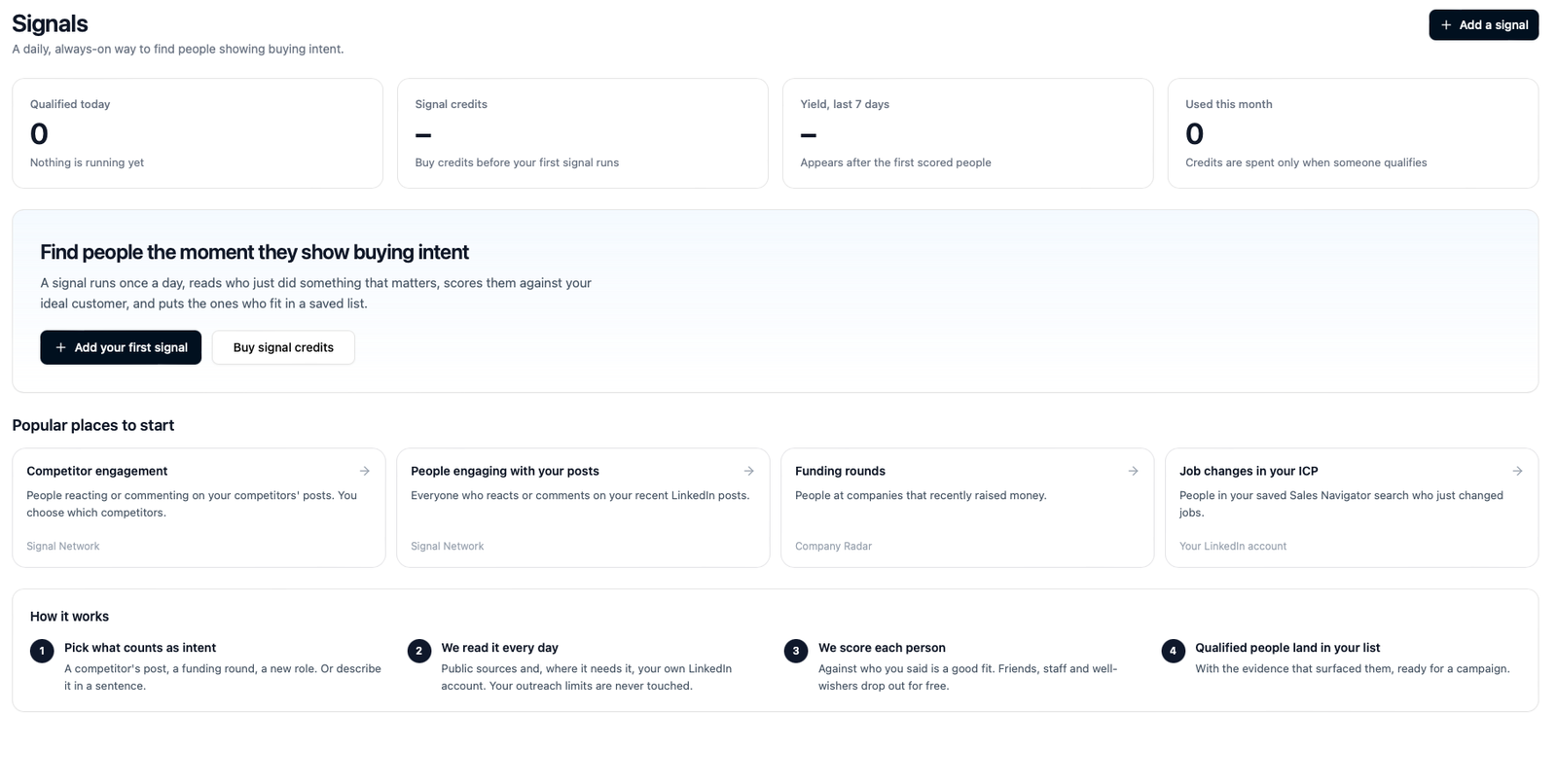
Before your first signal, the dashboard is an invitation: four tiles at zero, a short explanation, Add your first signal and Buy signal credits, and shortcuts to the most popular signals.
Once signals have run, the tiles become the funnel below, and the table underneath lists every signal.
The six tiles
The tiles across the top are the stages of a run, left to right, summed across all your signals for the last 30 days. Read them as a funnel: each number is a subset of the one before it.
| Tile | What it counts | Cost |
|---|---|---|
| Seen | Everyone your signals read: every person who reacted, commented, followed, changed jobs or turned up at a company that fired a trigger. | Free |
| Left out | People dropped by the always-on rules: competitors' staff and your own team, anyone scored in the last 30 days, anyone you told us never to contact. | Free |
| Filtered | People dropped by your rules: a headline with none of your job titles, no headline at all, or the engagement itself didn't count (the same person twice in one batch, for instance). | Free |
| Waiting | People who passed every check but were over today's allowance, so they're scored tomorrow. | Free |
| Scored | People scored against each list's description of a good fit. | Free |
| Qualified | People who cleared a list's bar, got a work email where one could be found, and were added to the list. | 10 credits each |
The Qualified tile also shows the credits those people cost. If Filtered is nearly as big as Seen, look at the job titles on the signal: the usual cause is a title list that's too narrow, or a word in it that isn't really a title.
Your signals
The table lists every signal, grouped by lane, with the profile-visitors schedule shown at the top of Your audience for completeness. For each one:
- Reads from. Your LinkedIn account, or Signal Network for the public sources.
- Status. A short label with a colour:
- Watching: on, and its last run completed (or, for a visitors schedule, it's collecting).
- First run pending: on, but it hasn't reached its first scheduled hour yet.
- Running / Waiting for data: a run is in progress, or has asked a data source and is waiting for the answer.
- Paused, with the reason: see When a signal pauses.
- Seen, Qualified, Credits, Yield. The signal's own share of the tiles above. Yield is the share of scored people who qualified; a dash means nobody has been scored yet.
Click a row to open the signal's page.
Hot right now
People who were hit by more than one signal, ordered by heat. Heat adds up every signal that touched a person over the last 30 days, with a stronger kind of evidence counting for more (a comment with intent beats a reaction) and fresher evidence counting for more than older evidence, which fades day by day. Someone who commented on a competitor's post on Monday and followed your page on Wednesday is hotter than either event alone.
See hot accounts opens the full list, and from there the people at each account.
Data sources
Shows whether each source your signals read from is healthy, slow or paused, in plain terms. You can't change anything here; it's there so that when a run says A data source is slow, you can see which.
A signal's page
The stats
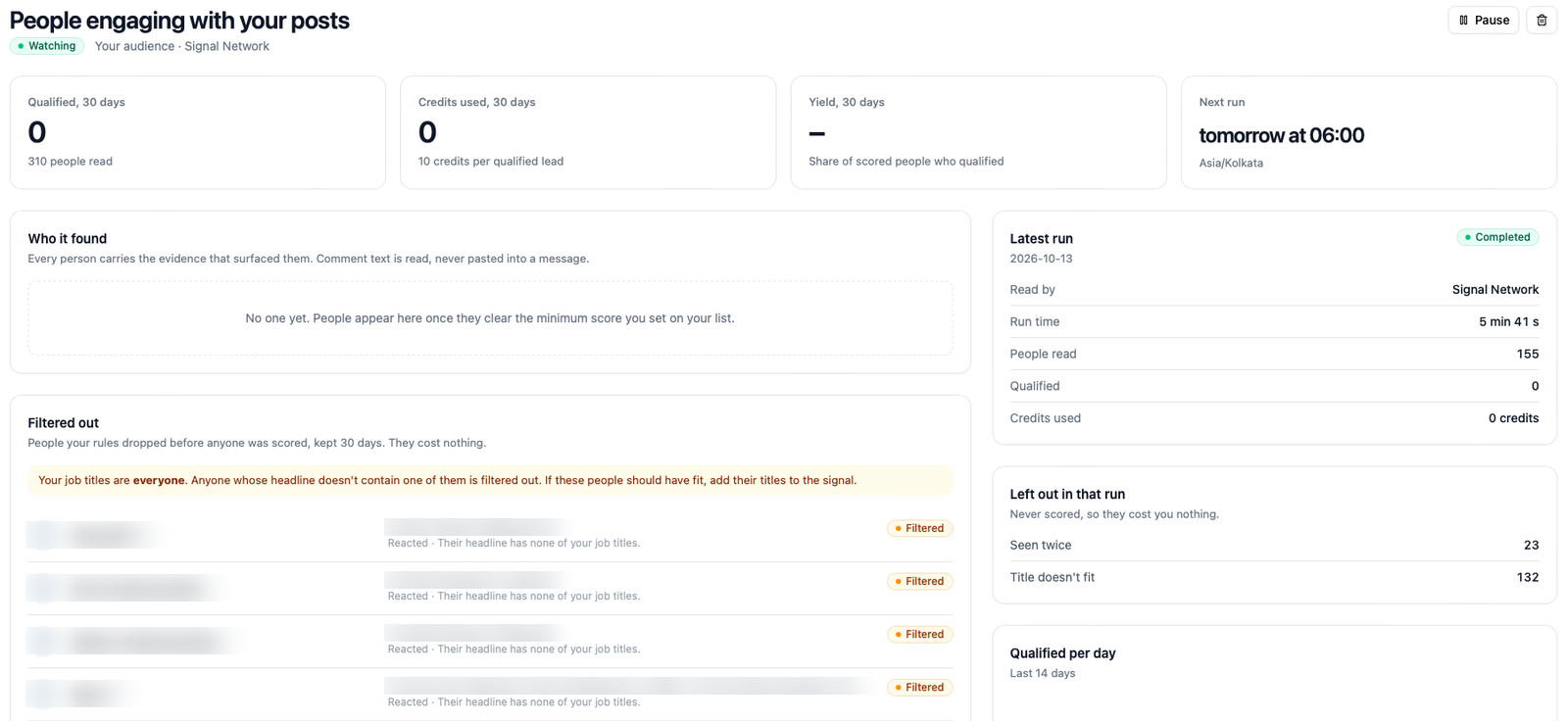
Across the top: credits used this month against the signal's limit, people qualified, yield over 30 days, and the next run (today or tomorrow at the signal's hour, in its own timezone; a dash if it's paused).
Who it found
Every person who qualified, newest first. Each row carries:
- The person's name, title and company, with a link to their profile.
- The evidence: what they did that surfaced them. For a comment, the comment's own words (at most a sentence or two); for a reaction or a follow, just the action. The evidence is what makes the person worth a message, and it's carried onto the lead so the campaign can use it.
- Strength: Strong, Medium or Light, and, for comments, what the comment showed: Evaluating, Uses a competitor, Switched away.
Comment text is read, and shown to you, but it is never pasted into a message. A campaign can use the fact that someone is evaluating a competitor; it can't quote them.
Filtered out
Under Who it found, the people your own rules dropped, newest first, kept for 30 days. Each row shows the person's name, headline, how they engaged, and the reason in one line: Their headline has none of your job titles, No headline on their profile, or Works at your company or at a competitor you track. When people were filtered on title, the panel also shows the job titles the signal used, so you can see at a glance whether the list is right.
This panel is where to look when a signal reads plenty of people and qualifies none. If the people listed are exactly who you want, add their titles to the signal. If they're not, the signal is doing its job.
The panel is shown for your-audience signals. The people it lists cost nothing, and nothing beyond their public headline and profile link is kept.
The latest run
On the right, Latest run says what the last run did: its date and outcome, who it read through (Signal Network for public sources, or your LinkedIn account), how long it took, how many people it read, how many qualified, and the credits used.
Under it, Left out in that run is the breakdown of everyone who was not kept, with the reason, in the same words as the tiles: Seen twice, Title doesn't fit, No headline, and so on. It says Never scored, so they cost you nothing, and it's the quickest way to see where the people went. In the example above, 155 people were read, 23 were the same person twice, and the other 132 had a headline with none of the signal's job titles, which is exactly what the amber note in Filtered out explains.
Below that, Qualified per day charts the last 14 days, with the signal's yield over its last seven runs and the Pauses itself below line: a signal whose yield stays under that bar (10 %) over a week is paused for you. See When a signal pauses.
Recent runs
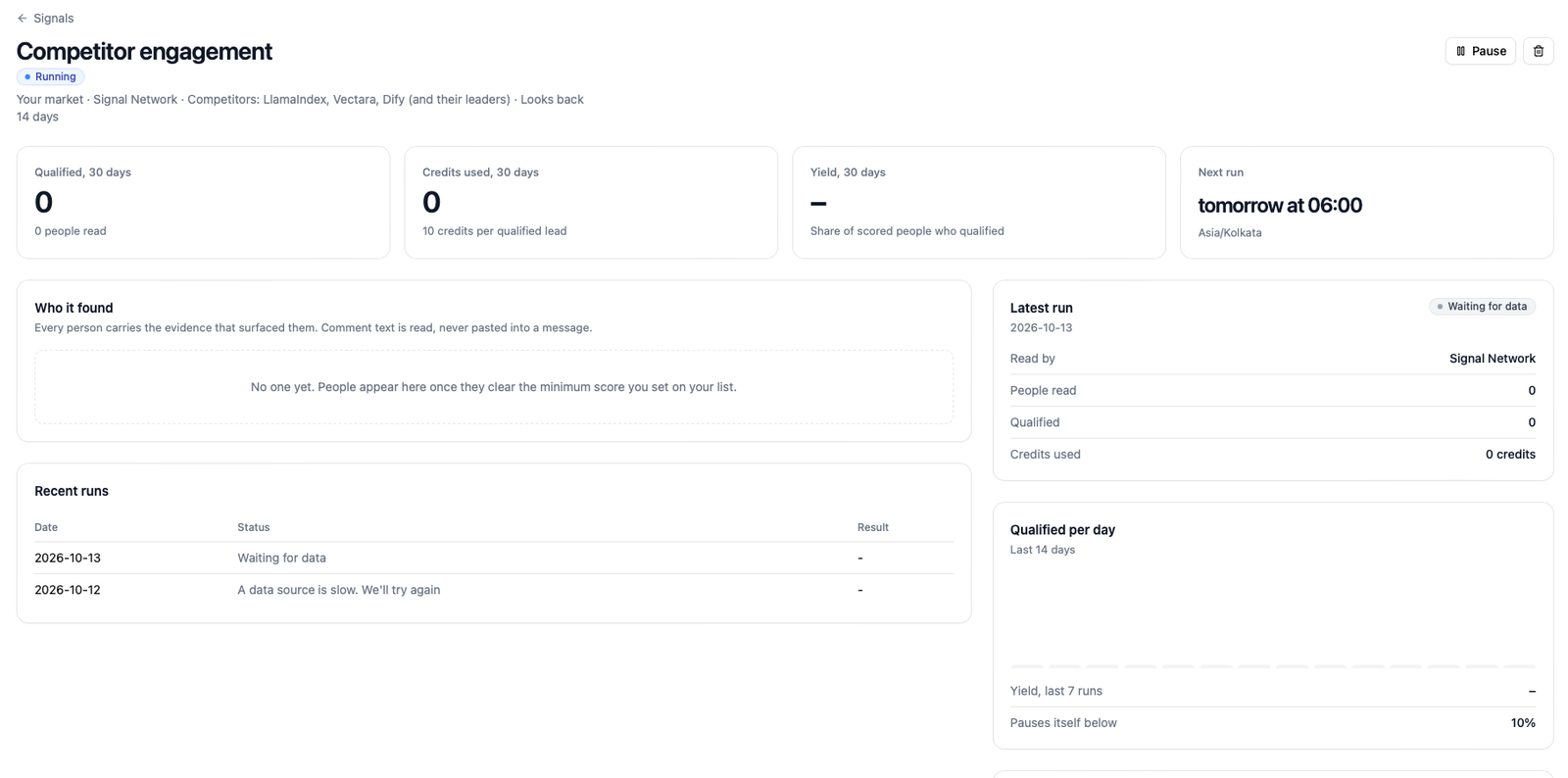
Every run of the last 30 days with its date, outcome and counts. An outcome is one of a short list of sentences: Completed, Paused: today's lead limit was reached, A data source is slow. We'll try again, and so on. When a signal pauses lists them all.
Setup and limit
The signal's own setup (what it watches, the titles, the lists), the Pause / Resume and Delete controls, and the monthly limit, which you can change here at any time.
Hot accounts
Signals → Hot accounts (or See hot accounts on the dashboard) lists companies by the heat of the people at them, so you can see where several signals point at once. Open an account to see the people, their evidence, and which signals found them: the buying committee, as far as your signals can see it.
Where the people end up
A qualified person is a lead in the saved list you chose, like any other. They carry a signal on the lead, with the evidence and the strength, and the campaign the list feeds can read it. In the lead list and in a campaign, the Why now column shows the evidence in a line, so whoever writes or reviews the message sees what prompted it.