Qualifying a list
Qualifying scores every lead against your criteria before you pay to enrich it. Leads at or above the minimum score are enriched and kept; the rest stay on the list as rejected leads, and you never pay to find their email.
Without it, a save enriches every lead and you find out afterwards which ones were a fit.
Turn it on when you save
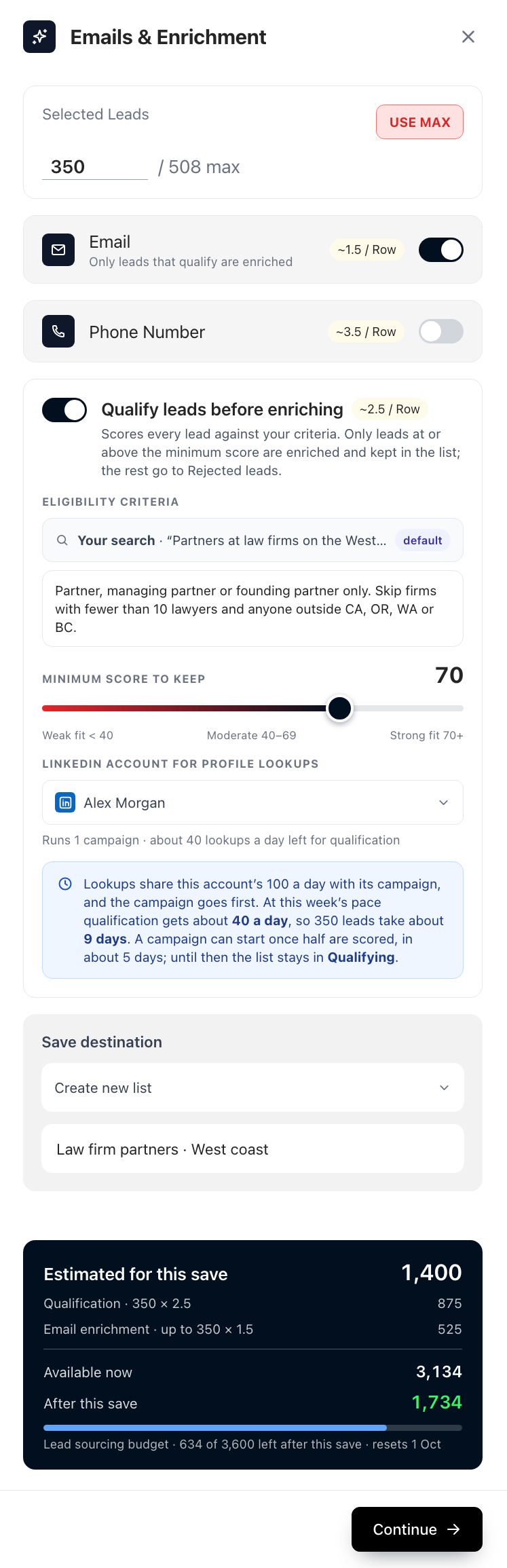
In the Emails & Enrichment panel, switch on Qualify leads before enriching. It is off by default and costs about 2.5 credits per lead scored.
| Setting | What it does |
|---|---|
| Your search | The search you ran, and its filters, are the first criteria. |
| Additional instructions | Plain language on top of the search: "Partners only. Skip firms with fewer than 10 lawyers." |
| Minimum score to keep | 0 to 100, 70 by default. Under 40 is a weak fit, 40 to 69 moderate, 70 and over strong. |
| LinkedIn account | The account whose daily profile lookups the scoring uses. |
The estimate card shows both costs: the scoring of every lead, and the enrichment of at most that many. What you pay follows the outcome: only leads that get a score are charged for scoring, and only leads that pass are enriched.
Why it takes days
Scoring reads each lead's LinkedIn profile, and a LinkedIn account can only do so many lookups a day safely. The panel shows the real pace for the account you chose:
- An account with no campaign reads about 30 profiles a day.
- An account that runs a campaign shares the same daily total with it, and the campaign goes first. Qualification gets what is left, so it never slows your outreach.
- The panel turns amber when the list would take more than 14 days. It warns, it doesn't cap: you decide.
Follow a list as it qualifies
The strip at the top of the list shows every stage with its own count: Collected, Qualifying, Enriching and Ready.
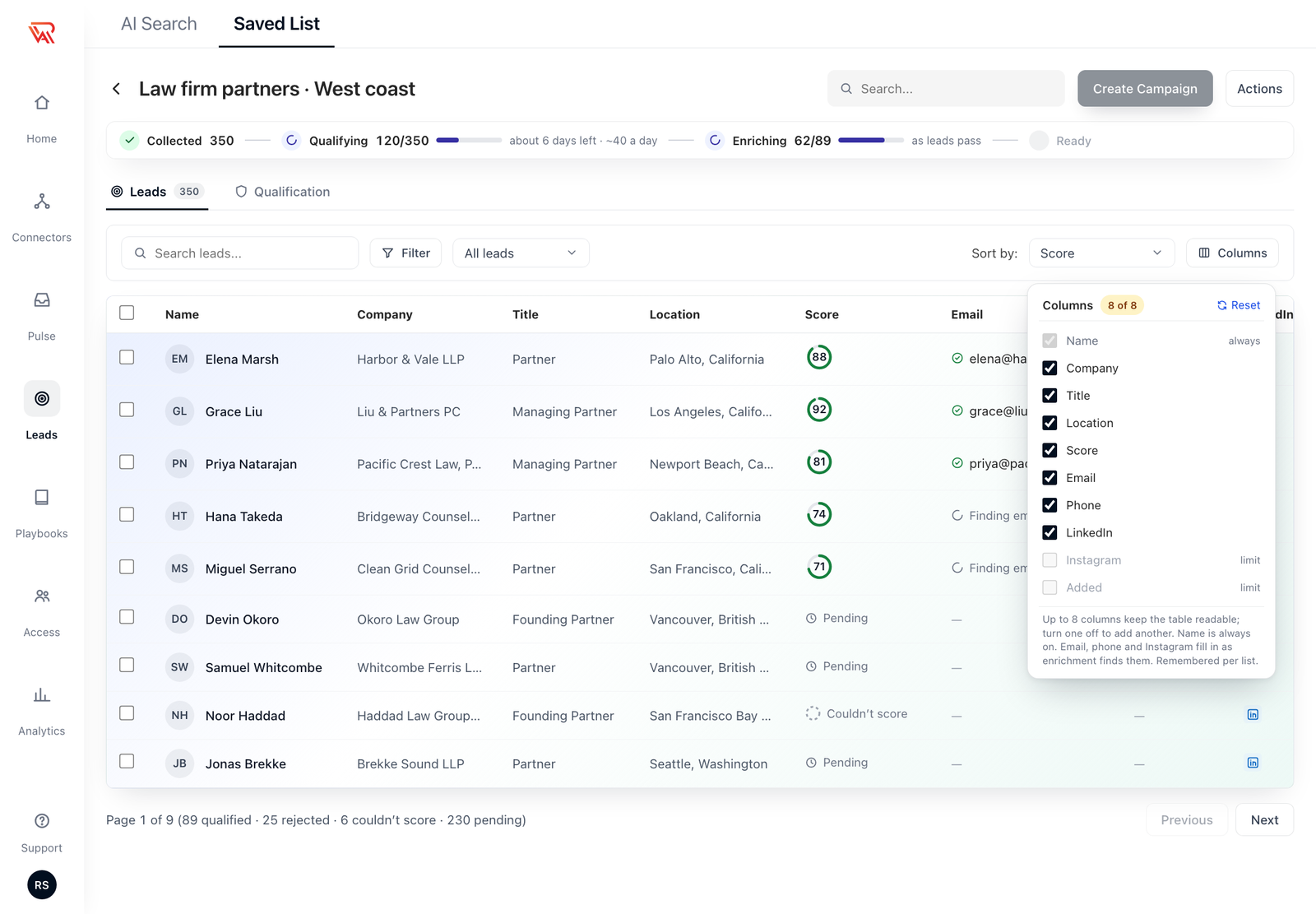
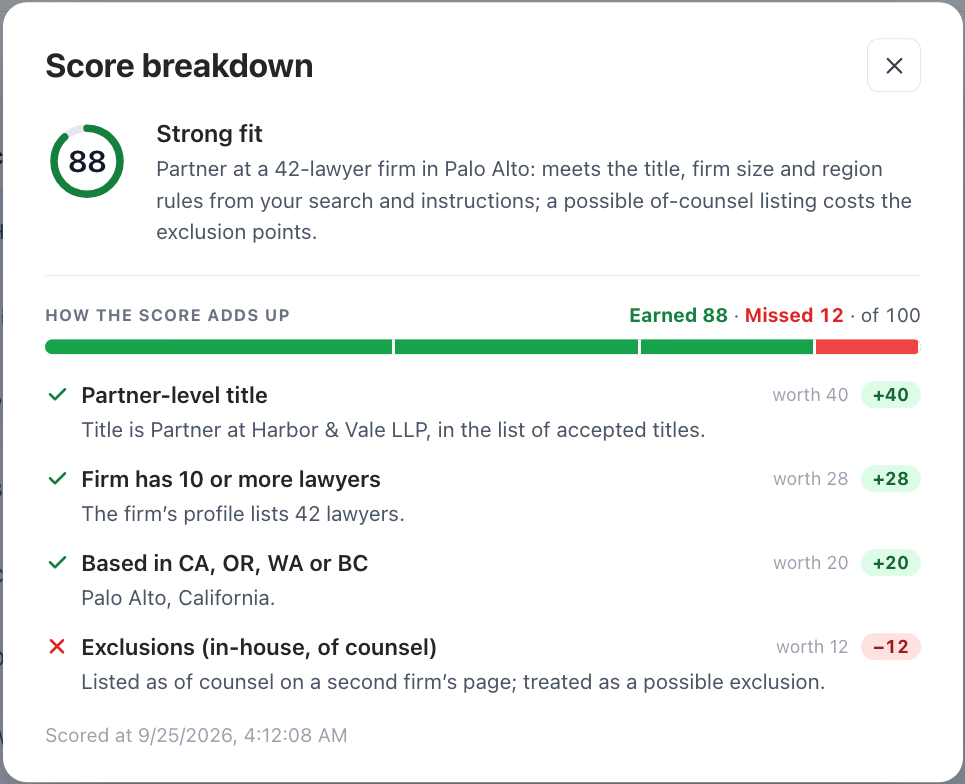
On the Leads tab each lead shows a score ring. Click it to see exactly how the score was made:
A lead that hasn't been looked at shows Pending. One that couldn't be scored shows Couldn't score (see below).
The Qualification tab
The Qualification tab holds the criteria and the numbers.
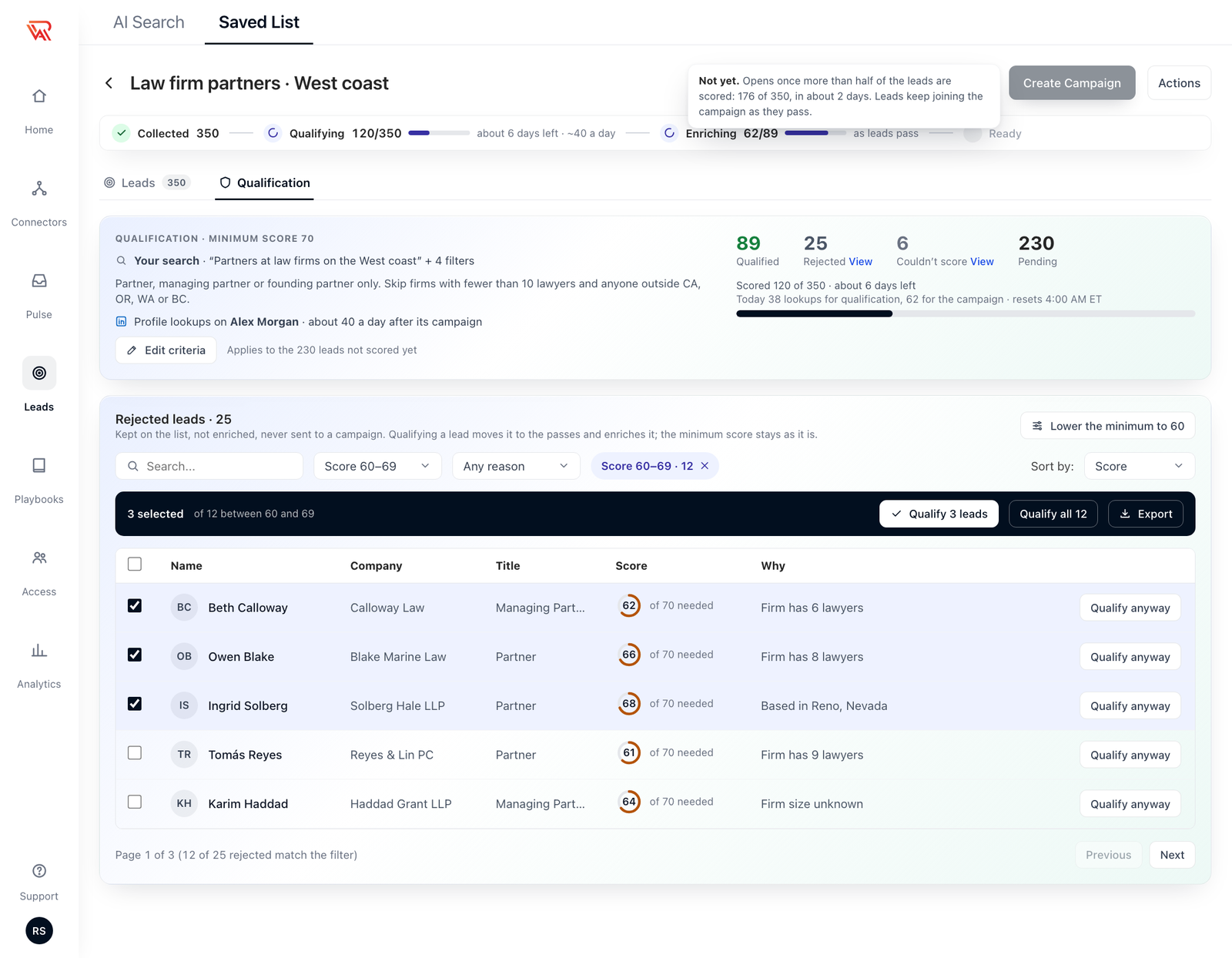
- The counts: qualified, rejected, couldn't score and pending.
- Scored N of M, with the days left at the current pace.
- Today's lookups, and when the day's lookups reset, in your own time zone.
- Edit criteria, below.
Edit criteria
Change the instructions and the new version applies only to leads that haven't been scored yet. Leads that were already scored keep the score they have, so nothing you've paid for is redone.
Changing the minimum score doesn't rescore anything either. To bring back leads that were just under the bar, see Lower the minimum.
Leads that couldn't be scored
Couldn't score means the lead was never judged: it has no LinkedIn profile link, the link isn't a profile, the lookup failed, or it failed three times.
Such a lead is never rejected, never charged and never enriched. It stays on the list, and the count has a View link that opens the Leads tab filtered to them.
When qualification pauses
The strip says why, and almost every pause clears by itself:
| Strip says | What it means | What happens |
|---|---|---|
| Paused · daily lookups used | Today's lookups are used up. | Resumes when they reset, at the time shown. |
| Paused · out of credits | Your credits ran out. | Resumes once you add credits. |
| Paused · LinkedIn disconnected | The account lost its connection. | Reconnect it and the list carries on. Nothing is rejected in the meantime. |
| Paused · lead sourcing budget used | The budget is spent. | Resumes when it resets. |
| Paused · retrying | The criteria couldn't be read after several tries. | Edit the criteria to clear it. |
Adding leads to a list that qualifies
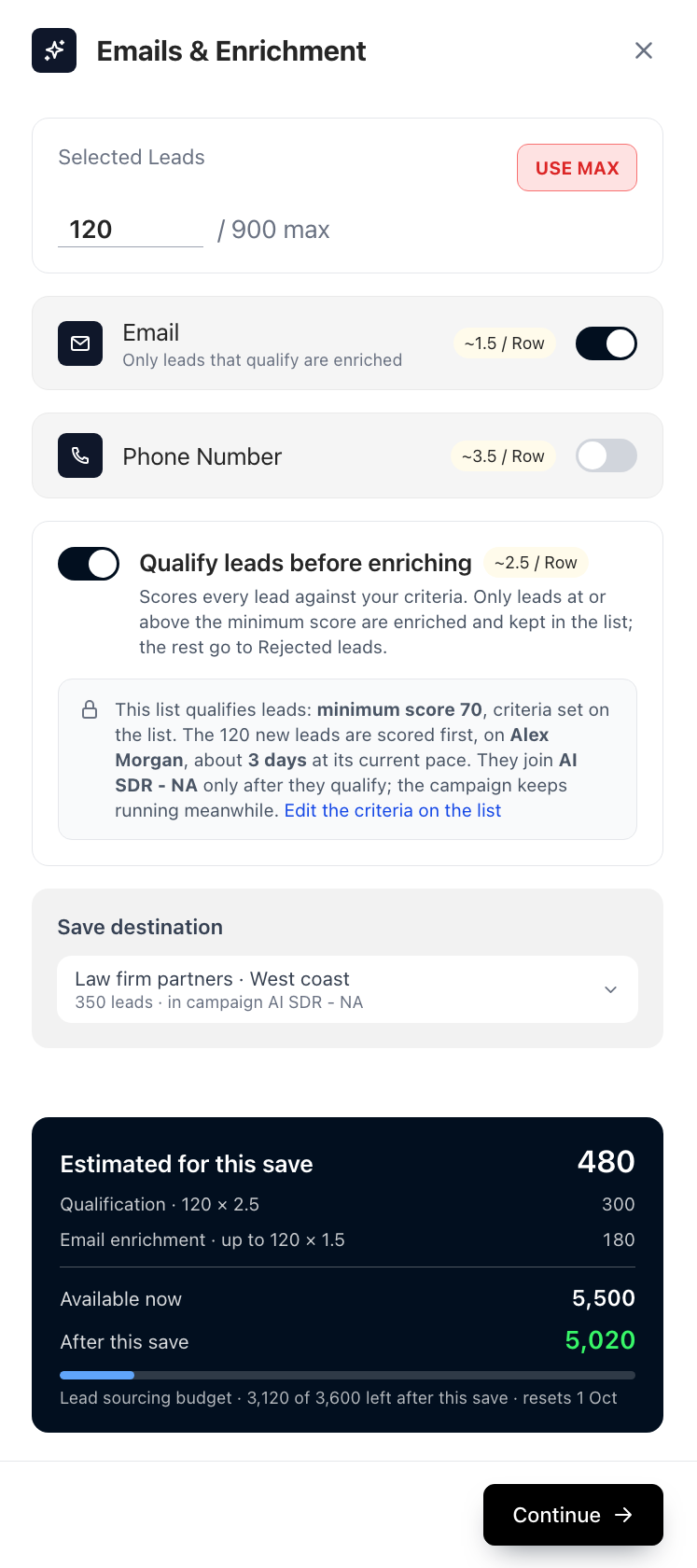
Save more leads into the same list and they join as pending and are scored with the list's criteria. The panel shows those criteria locked, with a link to edit them on the list.