Sender profile
A message that says "I see we both studied at the same school" lands better than one that doesn't. For that, Ragworks needs to know where you studied. Add your LinkedIn link to a sender account and Ragworks reads the schools on your profile, then looks for real overlaps with your leads.
It only matters for the Shared education hook. See Research depth and hooks.
Where to find it
Sender profile is a section in the settings of each of these accounts, between the signature and the rate limit:
- Outlook
- IMAP / SMTP
- WhatsApp (it has no signature, so the section follows the account details)
LinkedIn accounts don't show it. Their profile is read through the account itself.
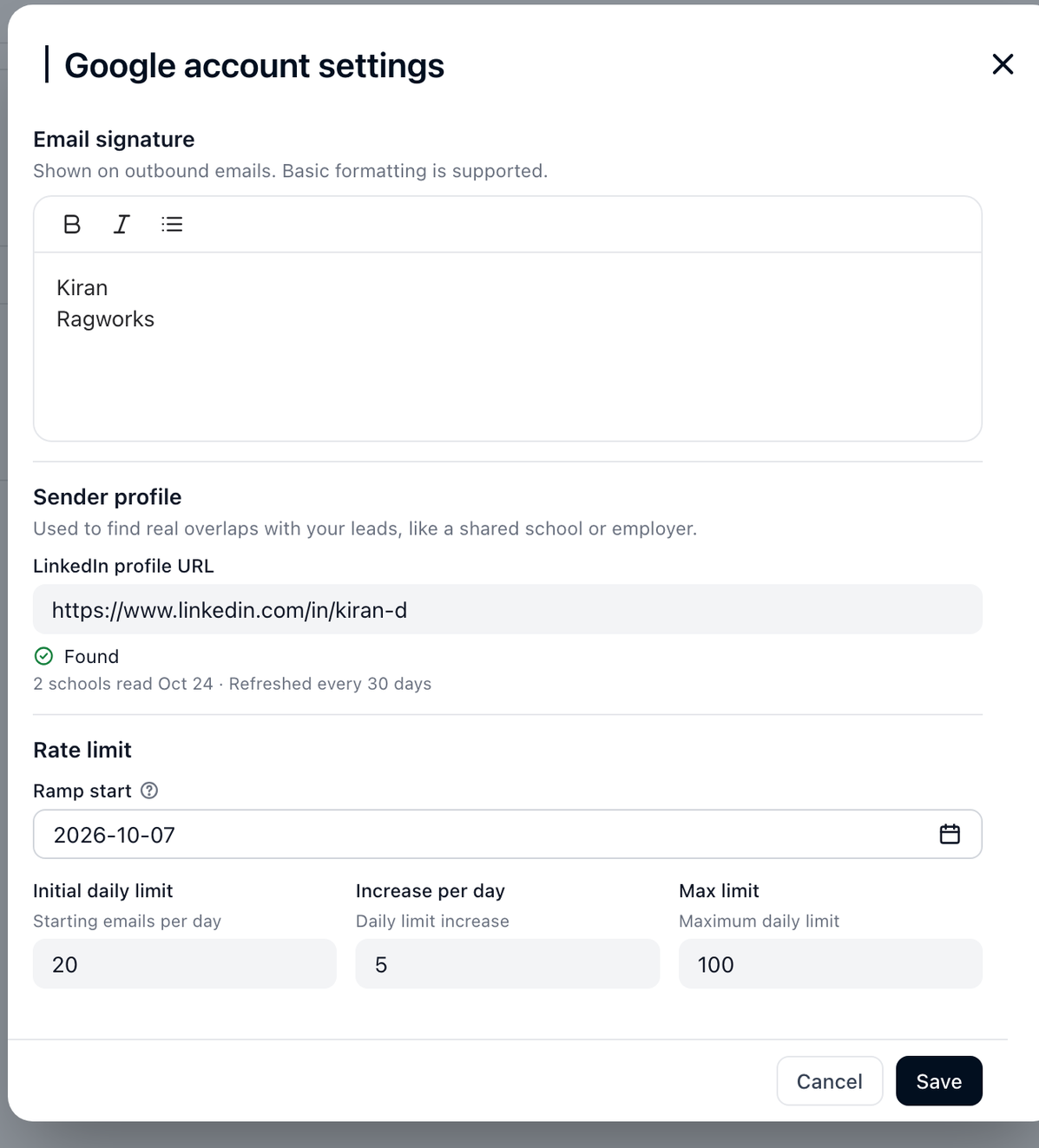
Add your link
- Open Connectors and click the settings of an account you send from.
- In Sender profile, paste the link to your public LinkedIn profile, such as
linkedin.com/in/your-name. - Click Save.
Ragworks reads your profile when you save. When it works, the field shows Found with how much it read and when, for example 2 schools read Oct 24 · Refreshed every 30 days.
A few things to know:
- Only your education is read. The rest of your profile isn't used for this.
- It doesn't cost credits.
- It stays current by itself. Ragworks reads the profile again every 30 days.
- Only admins can change it. Anyone else in your organisation sees the link and the line Only an admin can change this link.
- It's per account. Add the link to each account you send from.
If something looks off
| You see | What it means |
|---|---|
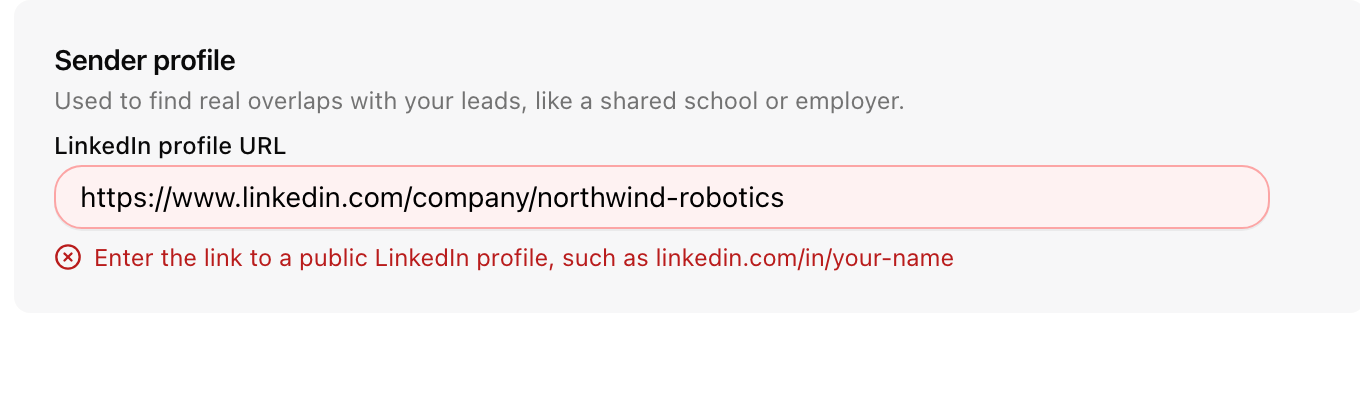
| Enter the link to a public LinkedIn profile, such as linkedin.com/in/your-name | The link isn't a member profile. A company page or a link to something else won't work. Use your own linkedin.com/in/... link. |
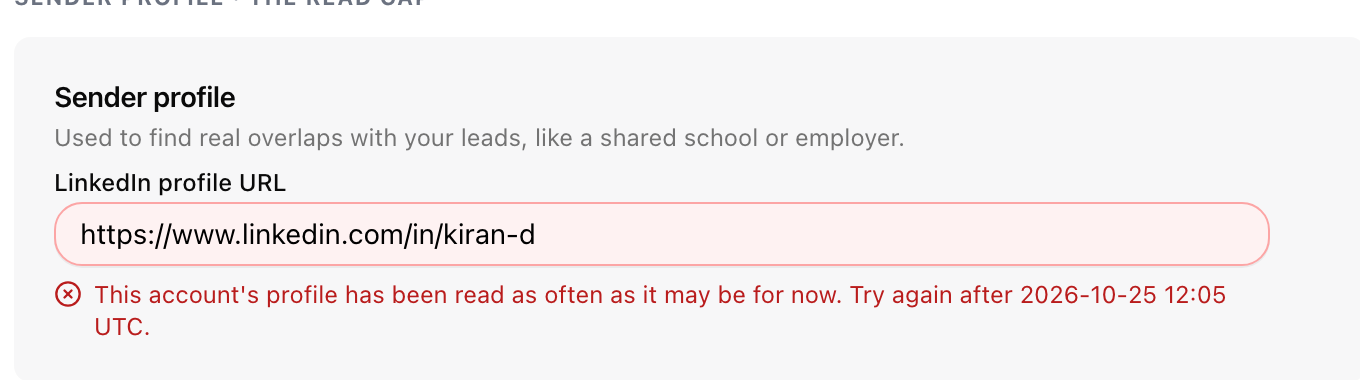
| This account's profile has been read as often as it may be for now. Try again after 2026-10-25 12:05 UTC. | An account's profile can be read up to 3 times in 30 days. Wait until the time shown, then save again. |
| We couldn't save this link. Try again. | The save failed. Click Save again. |
| We couldn't load the sender profile. | The section couldn't be opened. Click Try again. |
If you leave it empty
Nothing breaks. Without a sender profile, Shared education has nothing to compare with, so messages use another hook or none. Everything else in your campaigns works the same.