Preview 3 leads
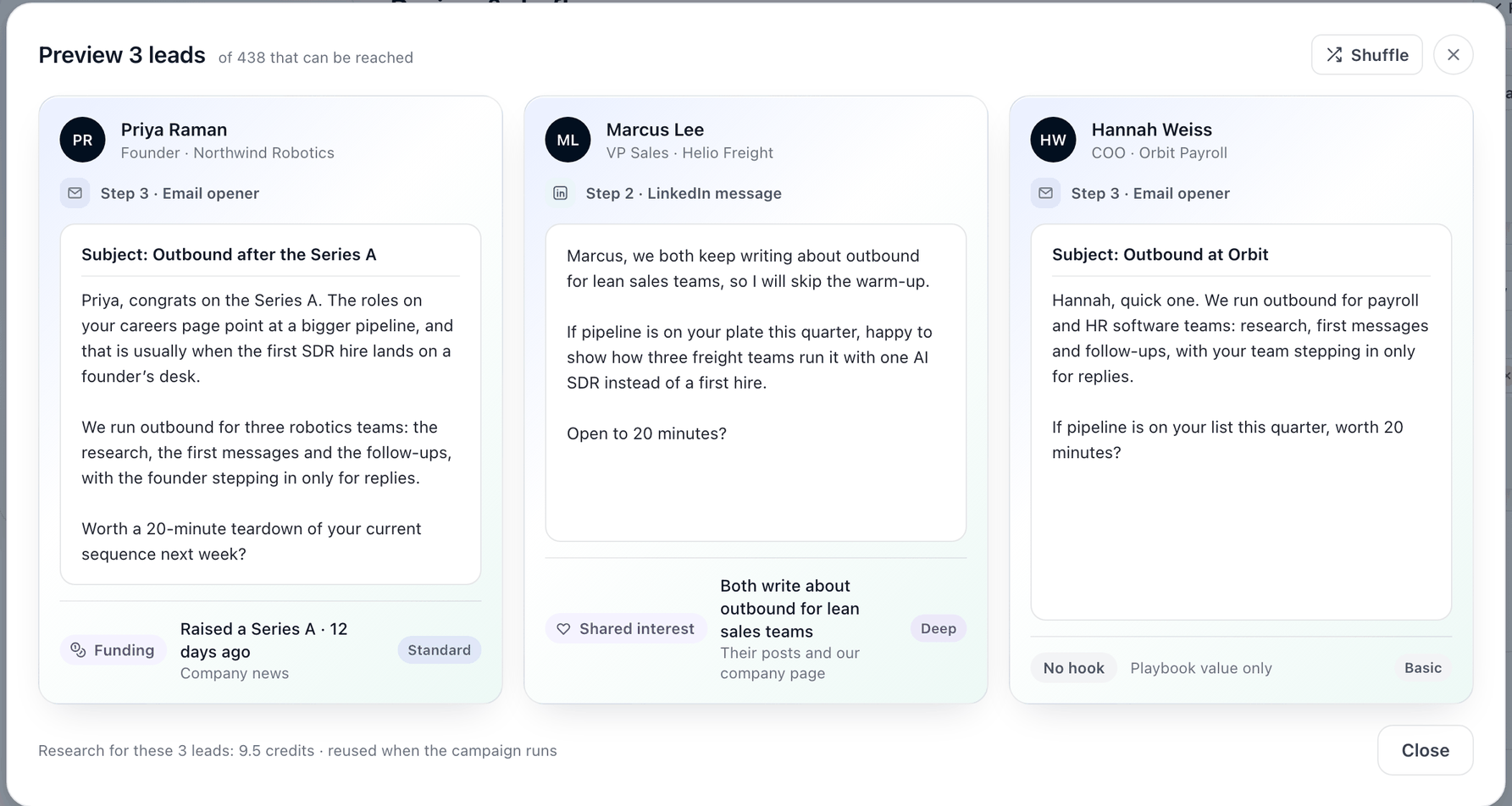
Preview 3 leads shows you what your AI-written messages will say to real people on your list before the campaign goes out. Ragworks picks three leads, researches them if needed, writes the message each would get, and tells you the fact each message opens on and where it came from.
It's a preview. Nothing is sent and nobody is contacted.
Open it
You can open it from two places:
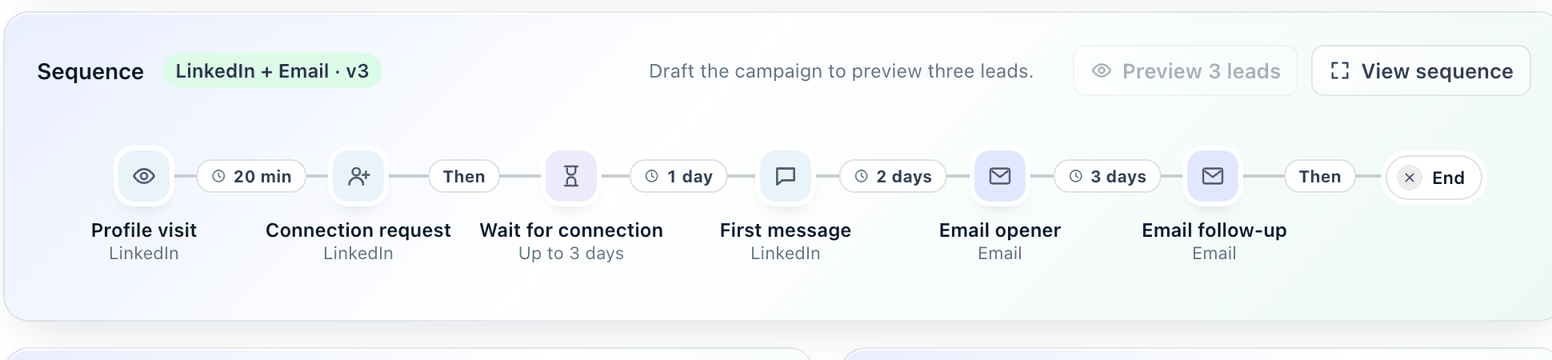
- When you create a campaign: on the Review step, in the Sequence card, click Preview 3 leads. Until the campaign is drafted the button is switched off and reads Draft the campaign to preview three leads.
- On the campaign page: click Preview 3 leads at the top, beside Simulate.
The dialog opens with how many leads on the list can be reached, for example of 438 that can be reached.
What you see
Each card is one lead:
| On the card | What it means |
|---|---|
| Name, title, company | The lead the message was written for. |
| Step | Which step of the sequence the message is from, for example Step 3 · Email opener. |
| The message | The message as it would go out, with a subject line for email. |
| Hook | The kind of fact the message opens on, for example Funding or Shared interest. See Research depth and hooks. |
| The fact and its source | What Ragworks found, and where it came from, for example "Raised a Series A · 12 days ago, Company news". |
| Depth | Basic, Standard or Deep: how much research this lead got. |
| No hook | Nothing true and relevant was found for this lead, so the message uses your playbook's value only. |
Each card is the first AI-written step that lead would get. A lead is previewed at your campaign's research level, but a lead who already has research shows the depth it has. If a card shows a depth below your campaign's level, the live message will be researched deeper than the preview.
Click Shuffle to see three other leads. Click Close when you're done.
What it costs
Two things use credits:
- Research. A lead is researched at the depth its card shows, then its research is kept. The footer adds it up, for example Research for these 3 leads: 9.5 credits · reused when the campaign runs.
- Writing. The AI that writes the three messages is billed by usage, the same as a live run.
About the research:
- You pay for a lead's research once. When the campaign runs, it reuses the research and doesn't charge for the same lead again.
- A lead that was already researched costs nothing to research again. Ragworks charges only for a lead with no research yet.
- Shuffling can add cost. Each new lead that has no research yet is researched and charged.
If the credits for three leads at your campaign's research level don't fit, the preview doesn't start. See If something looks off.
What it covers
Preview shows the AI-written email and LinkedIn messages of the campaign. Template steps are sent as you wrote them, so there's nothing to preview, and a LinkedIn connection request is always your template text.
To watch a whole conversation play out, including how a lead might reply, use Simulate.
If something looks off
| You see | What to do |
|---|---|
| This campaign has no published sequence yet, so there is nothing to preview. | Publish the campaign's sequence first. |
| This campaign has no AI-written email or LinkedIn message to preview. | Set at least one email or LinkedIn step to Agentic. See Build a playbook manually. |
| This campaign's agent is unavailable, so its messages cannot be previewed. | Try again in a few minutes. If it keeps happening, contact support. |
| None of this campaign's leads has the contact its first AI-written step needs, so there is nothing to preview. | Add leads that have an email address or a LinkedIn profile, depending on the step. |
| There are no other leads to show. | You've seen every lead that can be reached. |
| There are not enough credits to write these previews. | Add credits and try again. |
| The preview could not be drawn. Try again. | Click Preview 3 leads again. |