Campaign Dashboard
The Campaign Dashboard gives you a real-time view of outreach performance across every campaign in your org. Open it by clicking Home in the left sidebar. It has two tabs, Overview and Campaigns, plus a shared 7D / 30D / 90D time range and a refresh button that recomputes everything on demand.
Create a campaign
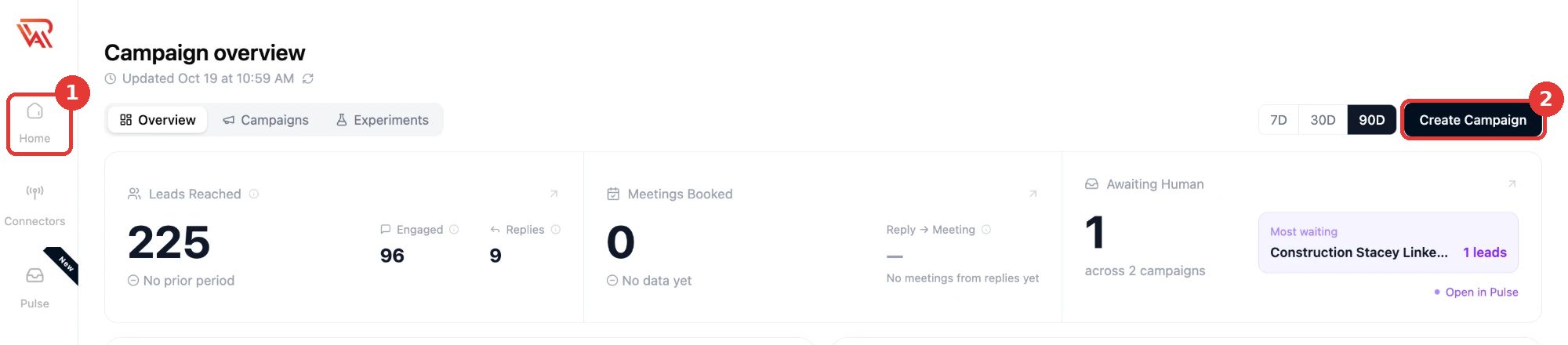
- Click Home in the left sidebar.
- Click Create Campaign at the top right, then choose Quickstart or the campaign wizard.
See all channels, or one campaign
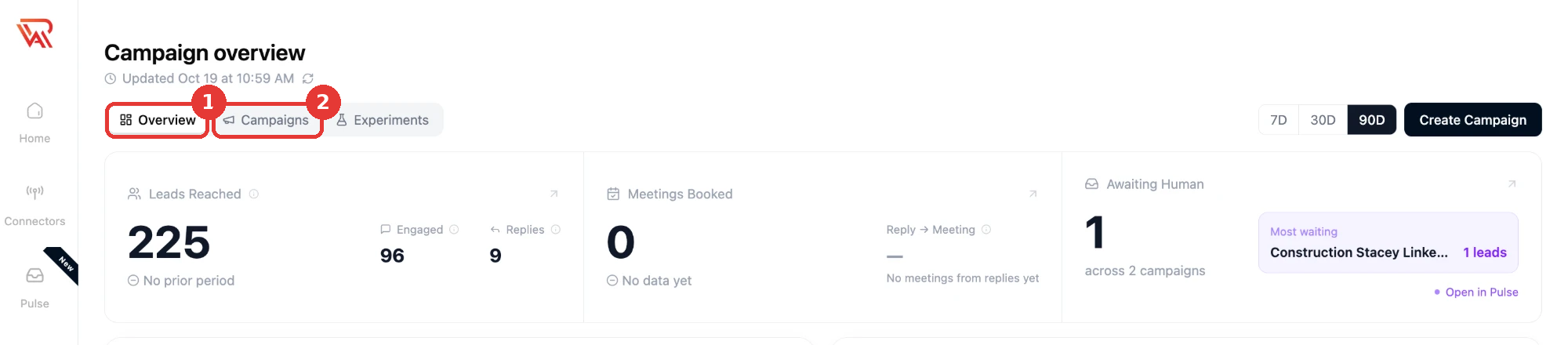
- Overview is the multi-channel dashboard: LinkedIn, email, WhatsApp and Instagram results together. Home opens on this tab.
- Campaigns lists every campaign. Click one to look at it on its own.
Overview Tab
KPI Cards
| Card | What it shows |
|---|---|
| Leads Reached | Leads who were sent a LinkedIn invite or an initial email, with the change vs. the prior period. |
| Engaged | Leads who accepted the LinkedIn connection request, opened an email, or were sent a follow-up message. |
| Replies | Leads who responded to the outreach. |
| Meetings Booked | Meetings scheduled from the outreach, with the change vs. the prior period. |
| Reply → Meeting | Of the leads who replied, how many went on to book a meeting. |
| Awaiting Human | The count of leads across all campaigns whose latest reply flagged the outreach as AI-generated, automated, or bot-like — these need a human to take over the conversation. Shows an "All caught up" state at zero. |

Click Leads Reached or Meetings Booked to open a detailed breakdown dialog. Click Awaiting Human to see which campaigns have leads waiting.
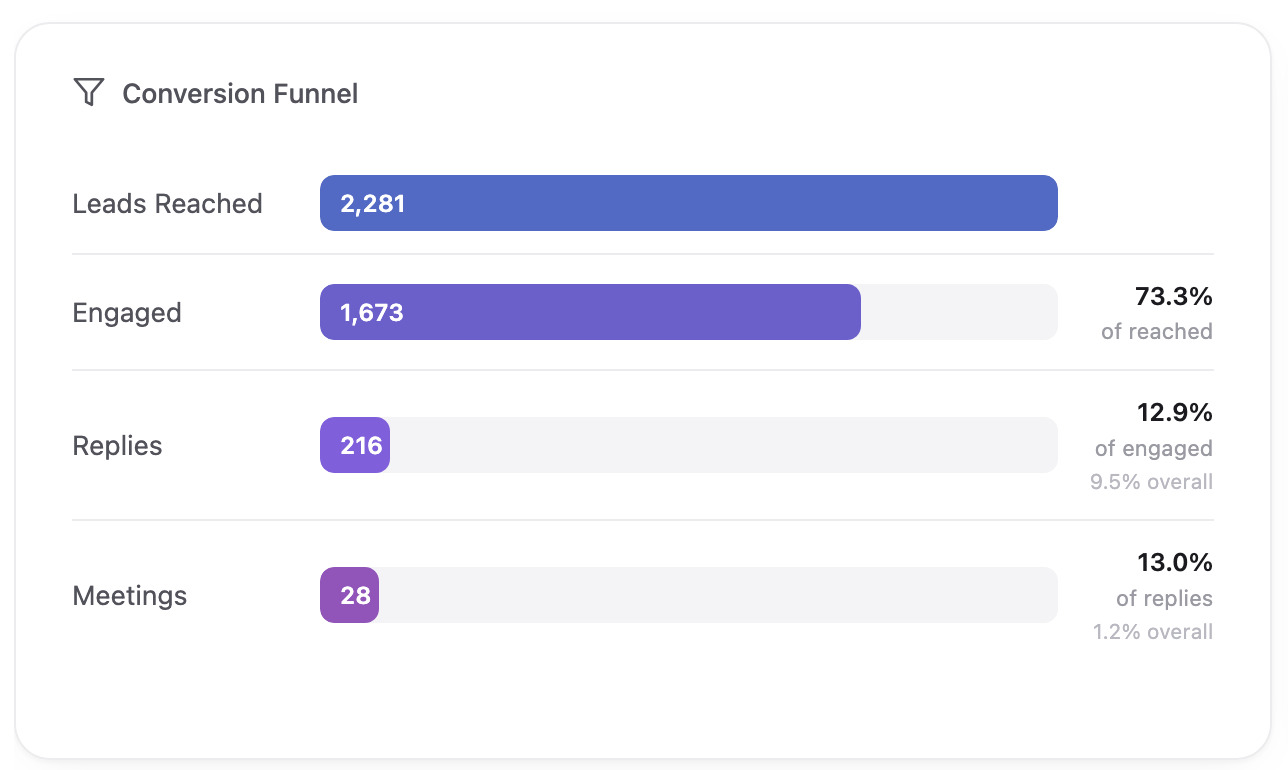
Conversion Funnel
Shows how leads move through the outreach process for the selected time range:
Leads Reached → Engaged → Replied → Meetings Booked
Each stage shows both its conversion rate from the previous stage and its overall rate against total leads reached.
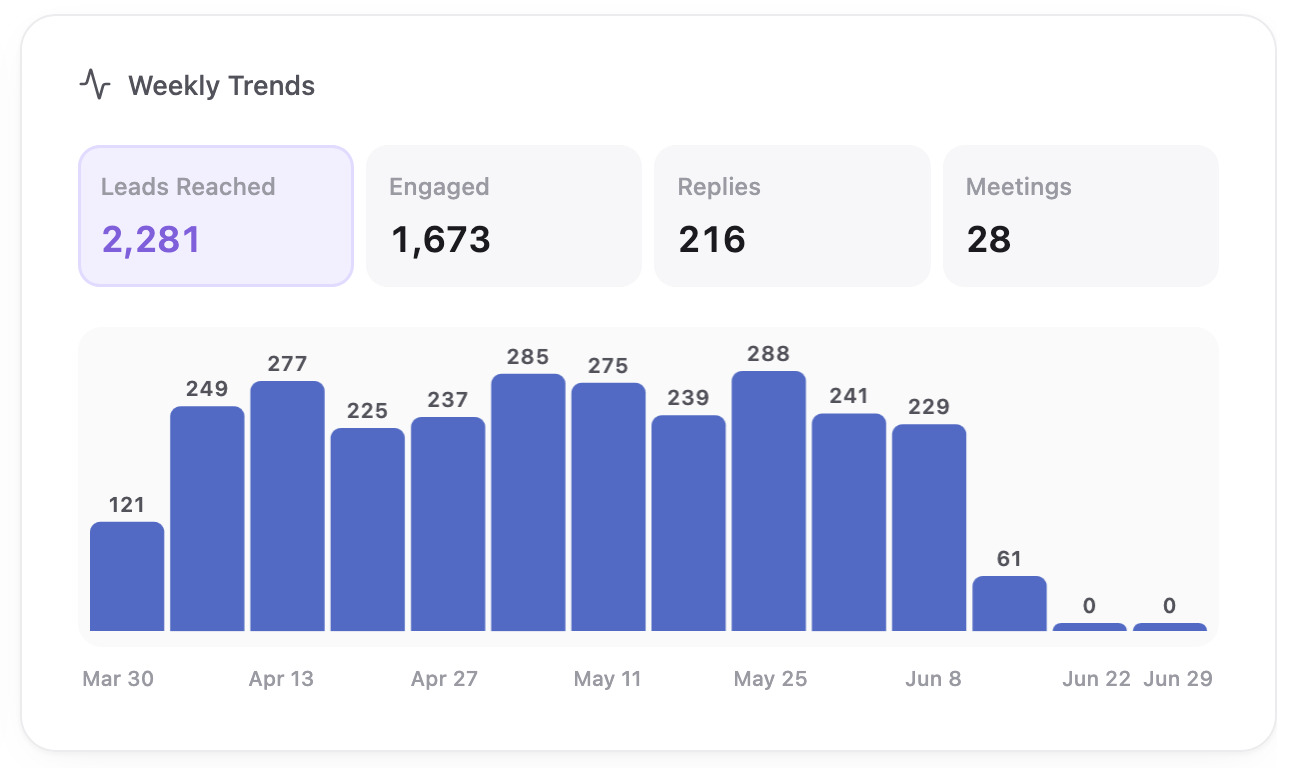
Weekly Trends
- For the 7D range: a week-over-week bar comparison (this week vs. last week) across Reached, Engaged, Replies, and Meetings.
- For 30D/90D: a per-metric chart (choose Reached, Engaged, Replies, or Meetings) plotted across weekly buckets.
Lifetime Engagement
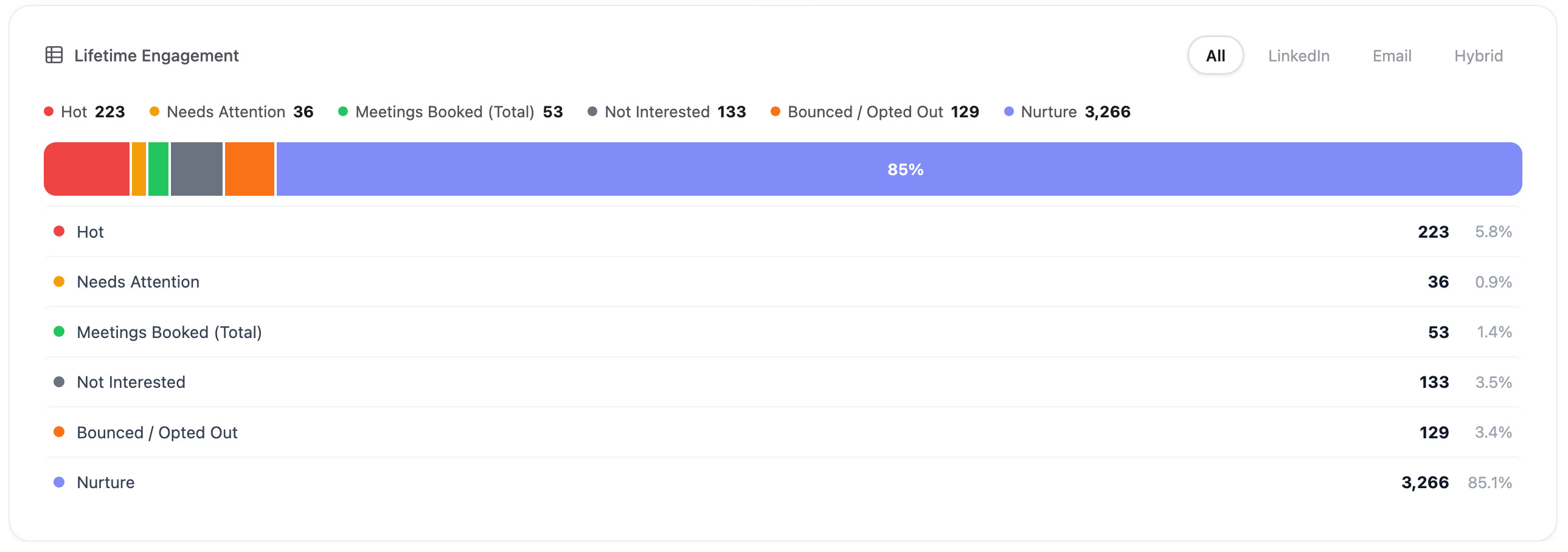
An all-time (not time-range-scoped) distribution of every lead's engagement label, grouped into six categories. Filter by channel (All / LinkedIn / Email / WhatsApp / Instagram / Hybrid).
| Group | Included labels | Meaning |
|---|---|---|
| Hot | Interested, Need Clarification, Referral | Leads with clear buying intent, a direct product question, or a handoff to another contact. |
| Needs Attention | Awaiting Human | The lead flagged the outreach as AI/bot-like and a human needs to step in. |
| Meetings Booked | Meeting Booked | Leads who booked a meeting. |
| Not Interested | Not Interested, Vendor Pitch, Existing Solution | Leads who declined, pitched their own product back, or already use a competing tool. |
| Bounced / Opted Out | Bounced | Delivery failures and unsubscribes. |
| Nurture | Out of Office, Automated Response, Follow Up, Follow Up Later, Initial Outreach | Not dead, not hot — auto-replies, open-ended replies with no ask, "reach out later" leads, and leads still at the first outreach touch. |
See Engagement Labels for the full label reference.
Campaigns Tab
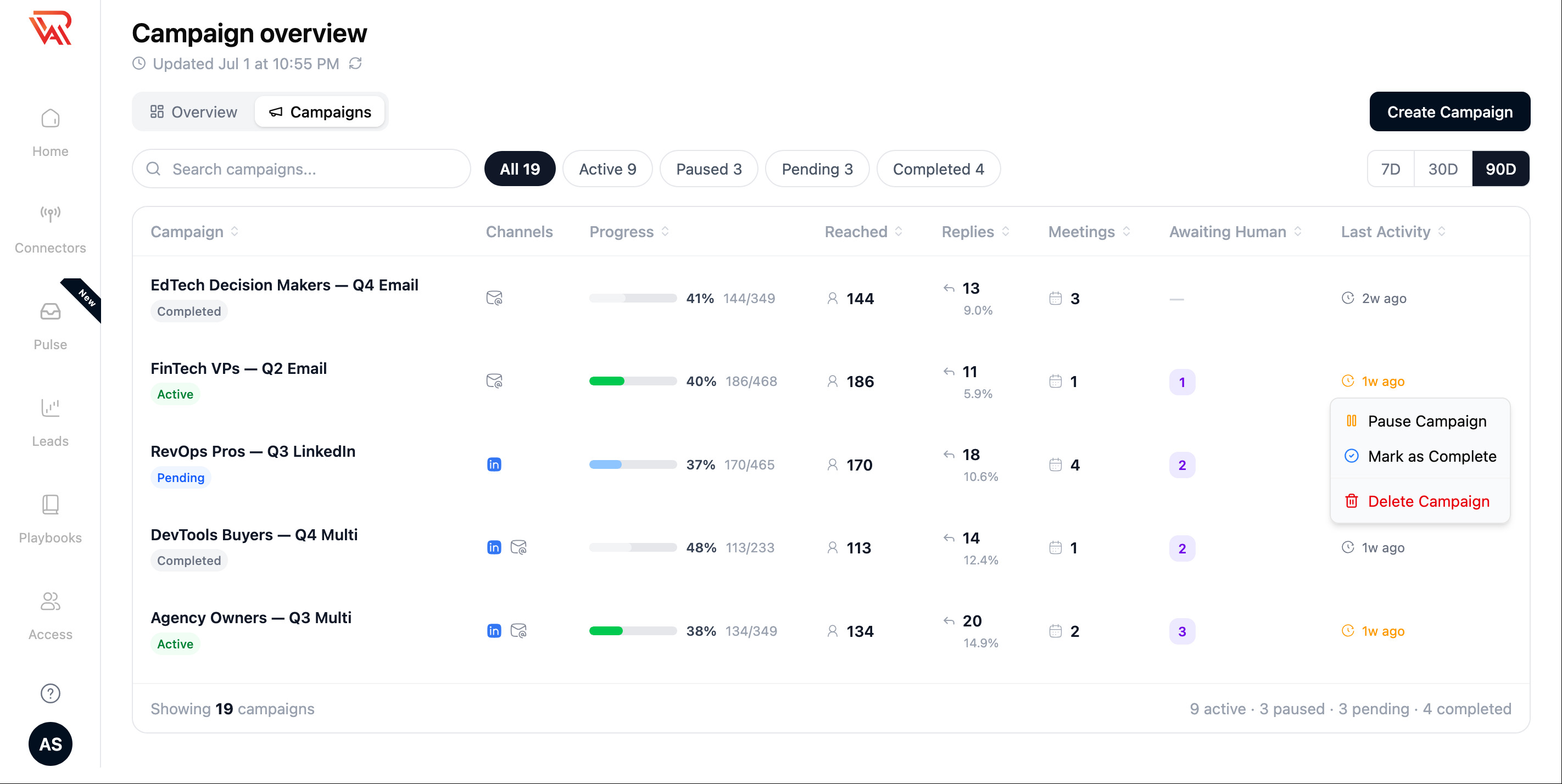
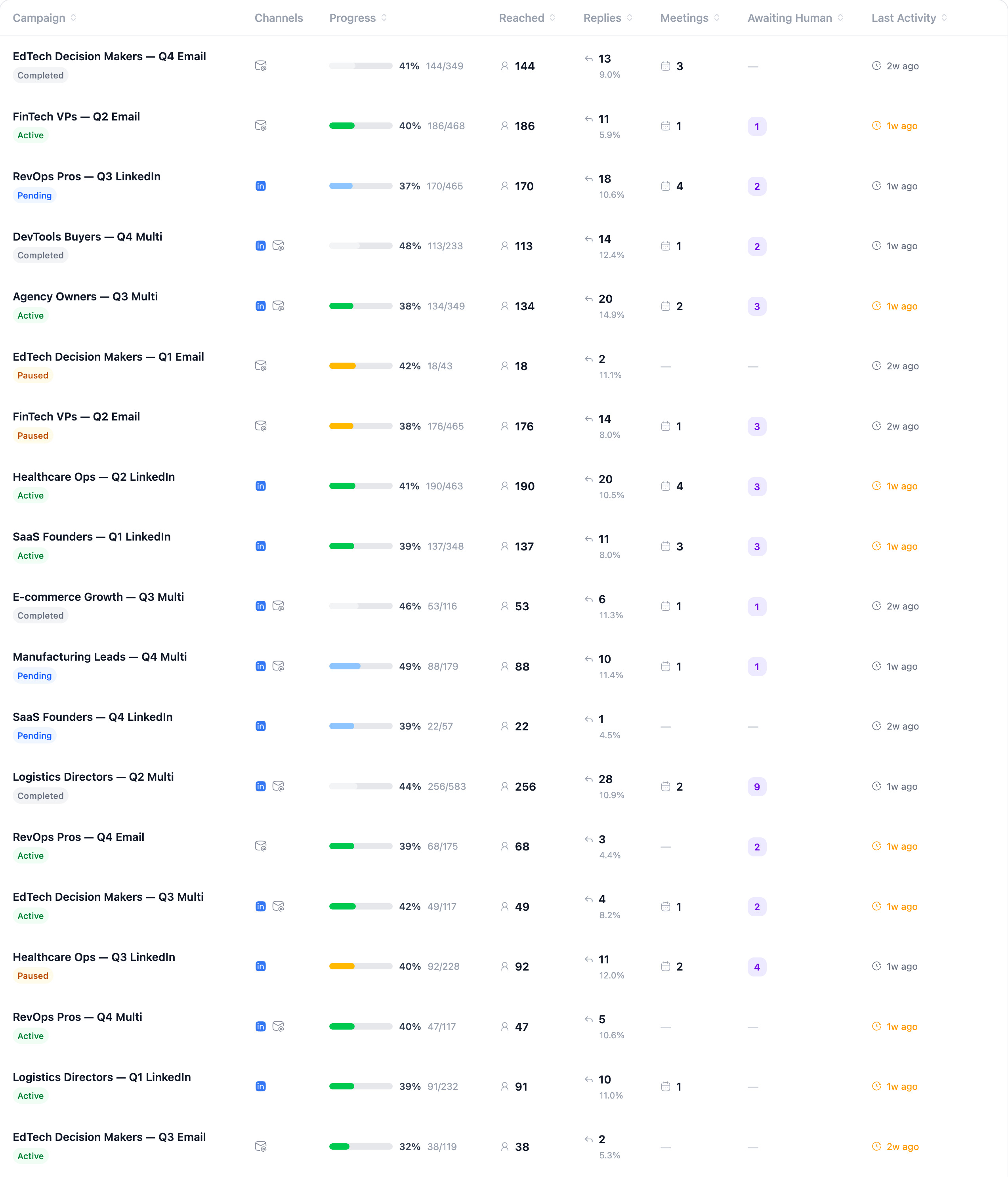
A sortable, searchable table of every campaign in your org, with status filter pills (All / Active / Paused / Pending / Completed).
Columns
| Column | Shows |
|---|---|
| Campaign | Name, status badge, and a hover card with the full metric breakdown. An Action required pill shows while the campaign's LinkedIn invites are paused. |
| Channels | LinkedIn and/or Email icons for the channels this campaign uses. |
| Progress | How much of the campaign's first outreach has gone out, across its channels and over its whole life, so it does not change with the time range. The line under the bar is the number of leads, or "N queued" until the first send. |
| Reached | Leads reached in the selected time range, which the line under the number names (for example "last 90d"). |
| Replies | Reply count and reply rate. |
| Meetings | Meetings booked. |
| Awaiting Human | Leads in this campaign waiting on a human reply. |
| Last Activity | Timestamp of the most recent event; flagged if a still-active campaign has had no activity in over 7 days. |
Row Actions
| Action | Available on | What it does |
|---|---|---|
| Approve Campaign | Pending campaigns | Approves a draft campaign so outreach can begin. |
| Pause Campaign | Active campaigns | Pauses all outreach — no messages or actions are sent while paused. |
| Resume Campaign | Paused campaigns | Resumes outreach from where it left off. |
| Mark as Complete | Active or paused campaigns | Ends the campaign and marks it as completed. |
| View Campaign | Any campaign | Opens the campaign's detail view. |
| Delete Campaign | Any campaign | Permanently removes the campaign (confirmation required). |