Cancel your subscription
You can cancel at any time. Cancelling stops your plan from renewing. You keep your plan until the end of your current term, and on Monthly and Yearly you aren't charged again.
What happens when you cancel
- You keep full access, and can keep using your credits, until the end of your current term: the end of the month on Monthly, the end of the commitment on Quarterly, the end of the year on Yearly. The date is shown as Expires on.
- On that day your subscription ends and you lose access to the paid features. Ragworks warns that this may result in data loss.
- On a quarterly commitment, the monthly charges that are still part of the three months you committed to are still collected. Cancelling stops the commitment from renewing, not the payments you agreed to. Billing history lists them as Scheduled. After the last one you aren't charged again.
Changed your mind? You can renew at any point before it ends, or after it has ended.
If you only want a smaller plan, downgrade instead. It keeps your account and data.
Notice periods
A cancellation ends your plan with the current term only if you make it early enough:
| Term | Notice |
|---|---|
| Monthly | 7 days before the term ends |
| Quarterly | 14 days before the term ends |
| Yearly | 30 days before the term ends |
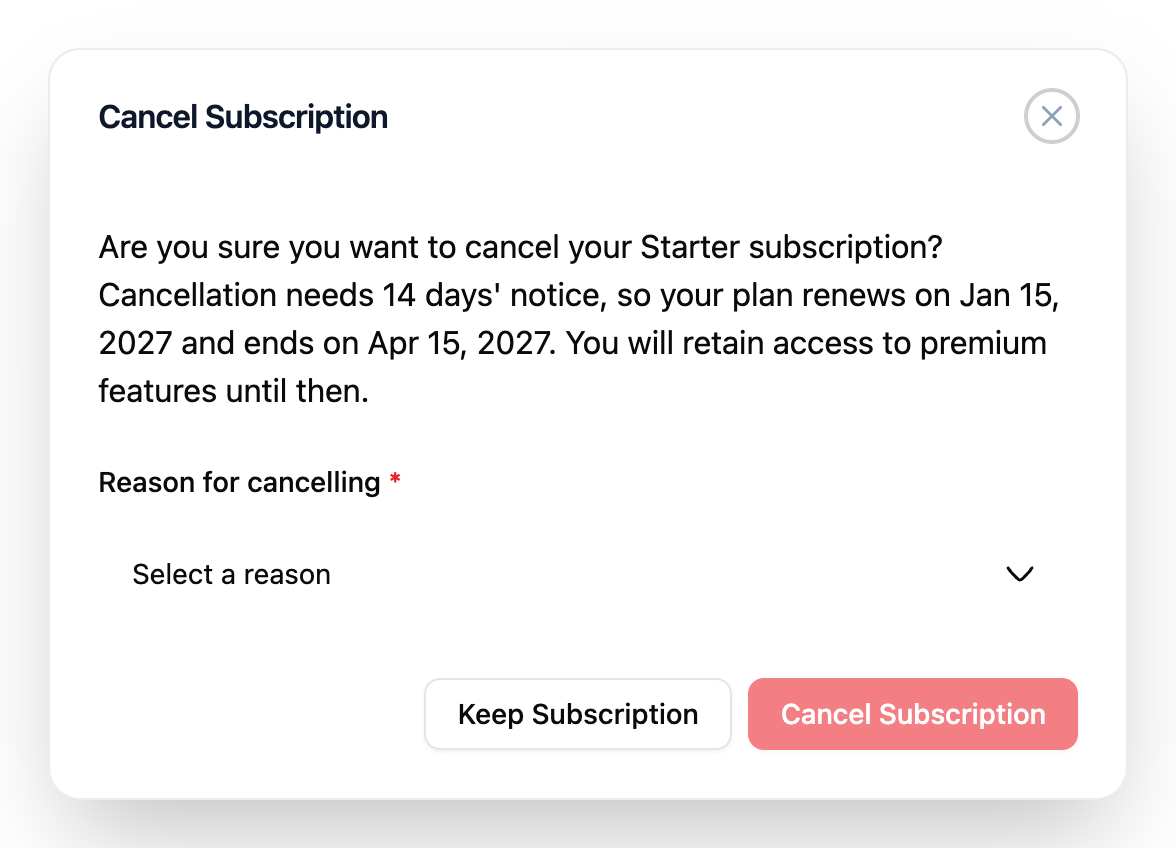
If you cancel later than that, the request is accepted at once, but your plan renews one more time (a month, a quarter or a year) and ends with that term. The Cancel Subscription window tells you both dates, for example: Cancellation needs 14 days' notice, so your plan renews on Jan 15, 2027 and ends on Apr 15, 2027. You will retain access to premium features until then.
If you subscribed before quarterly plans existed, your plan has no commitment and no notice period: cancelling ends it at the end of the current billing month, as before.
Cancel
-
Click Billing Information, then the Manage Subscription tab.
-
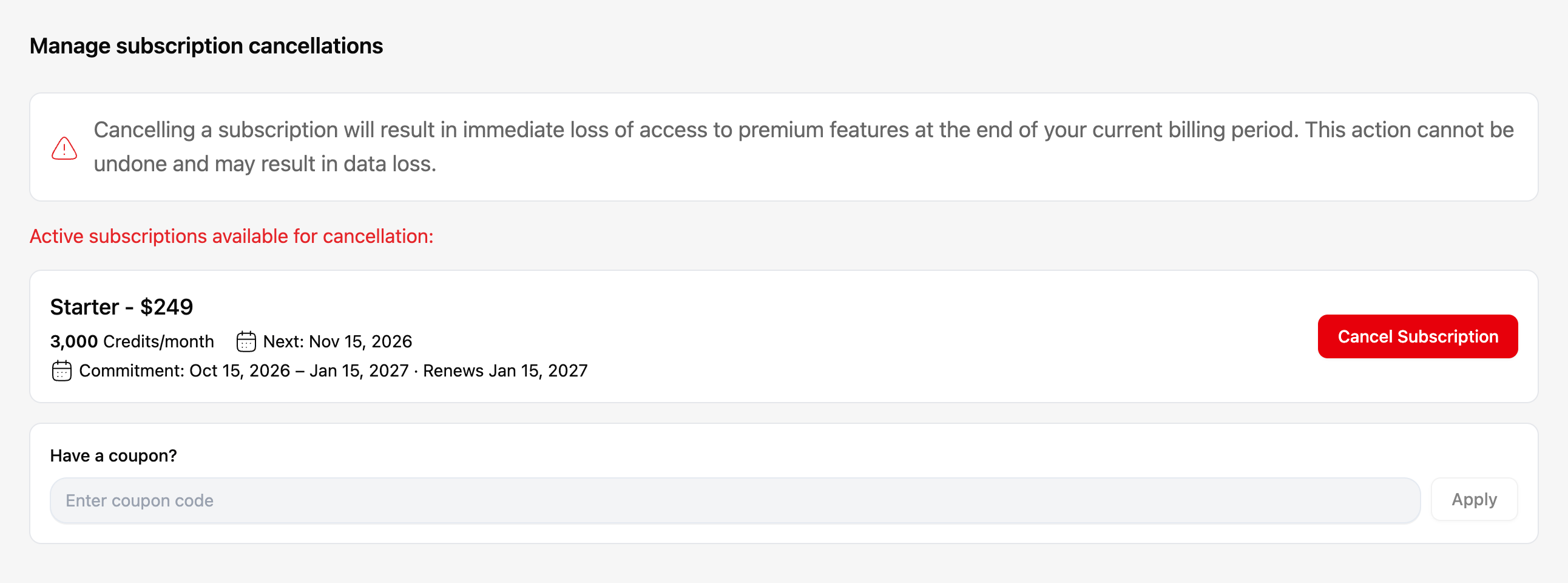
Click Cancel Subscription.
-
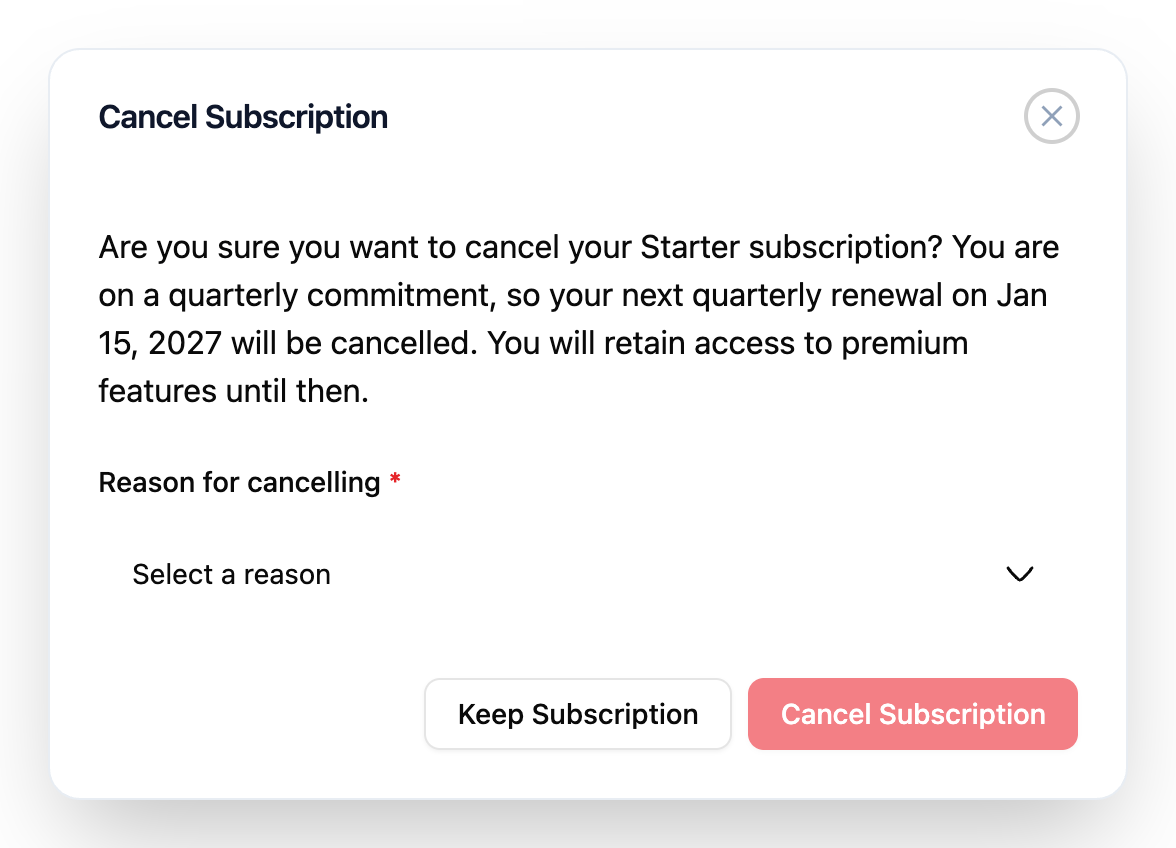
Read the message. It says when your plan ends: on a quarterly commitment, your next quarterly renewal on Jan 15, 2027 will be cancelled, and you keep access until then.
-
Select the Reason for cancelling. If you pick Other, tell us more in the box that appears.
-
Click Cancel Subscription to confirm.
If you cancel inside the notice period, the message says your plan renews once more and gives both dates.
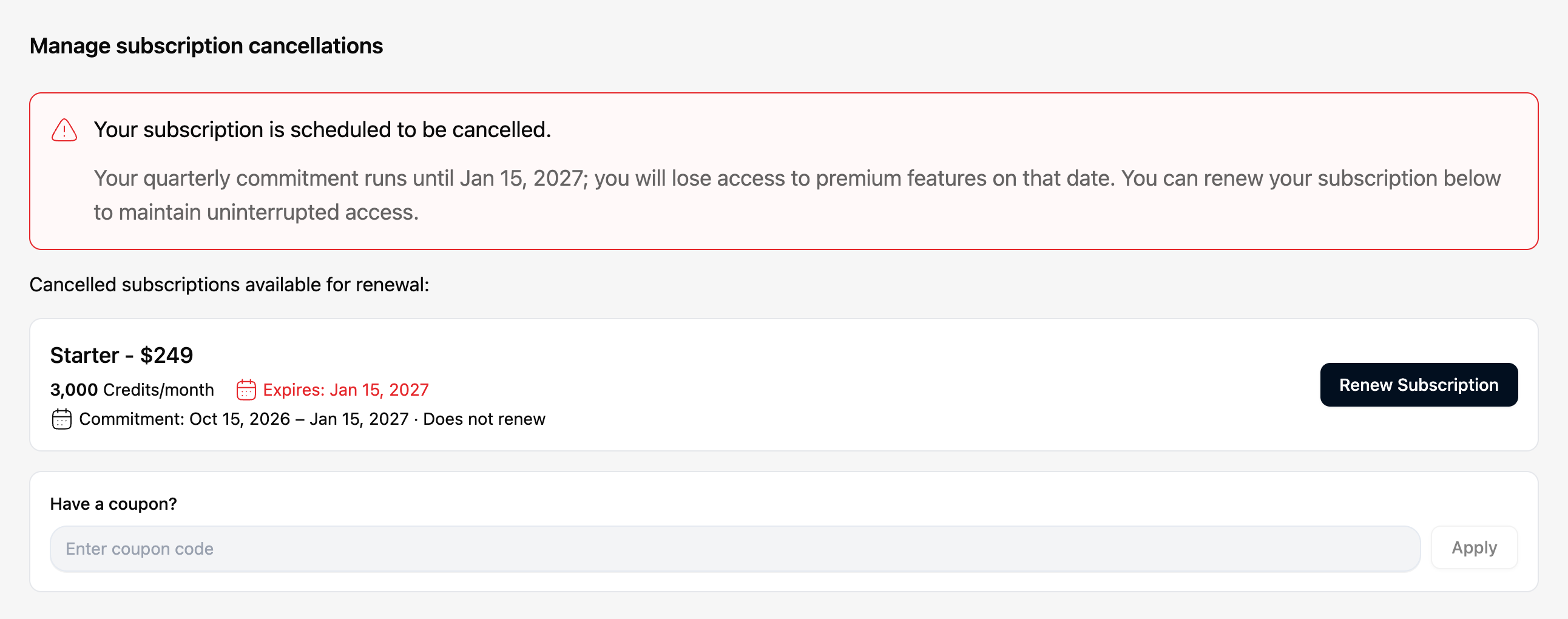
Result: a message confirms the cancellation. Manage Subscription shows that your subscription is scheduled to be cancelled, and the date you lose access. On a quarterly commitment the card shows Commitment: Oct 15, 2026 – Jan 15, 2027 · Does not renew.
To stay, click Keep Subscription instead of cancelling.
Renew a cancelled subscription
While your subscription is scheduled to be cancelled, or after it has ended:
-
Click Renew Subscription, then confirm.
Result: a message says the subscription was renewed, and it continues to renew automatically. On a quarterly commitment it renews at the end of the commitment, as before.
You need a card on file to renew. If you don't have one, Manage Subscription asks you to add one first: click Add Payment Method and then renew.
If the subscription has already ended, click Choose a plan to pick a plan again.
Troubleshooting
| Problem | Solution |
|---|---|
| I can't find Cancel Subscription. | It's on the Manage Subscription tab of Billing Information, not on the main Billing page. |
| Cancel Subscription is greyed out. | Choose a reason. If it's Other, write at least 3 characters. |
| I was charged after cancelling. | On a quarterly commitment, the remaining monthly charges are still collected until the commitment ends: see the Scheduled rows in Billing history. If a charge is dated after the day you lose access, contact info@ragworks.ai with the invoice reference. |
| The window says my plan renews once more. | You cancelled inside the notice period for your term (7, 14 or 30 days). The plan renews once more and ends with that term. The window shows both dates. |
| Cancelling shows Failed to cancel subscription. | Ragworks couldn't work out when your plan would end, so it changed nothing. Try again in a moment. If it keeps failing, contact info@ragworks.ai. |
| I can't renew. | Add a card under Payment methods first. |