Generate a Telegram Link Code
Once a Telegram bot is connected to your agent, generate a link code to pair a user's Telegram account with it.
How to Generate a Link Code
Step 1: Open the Agent
- From the left sidebar, click Configuration.
- Select Agent.
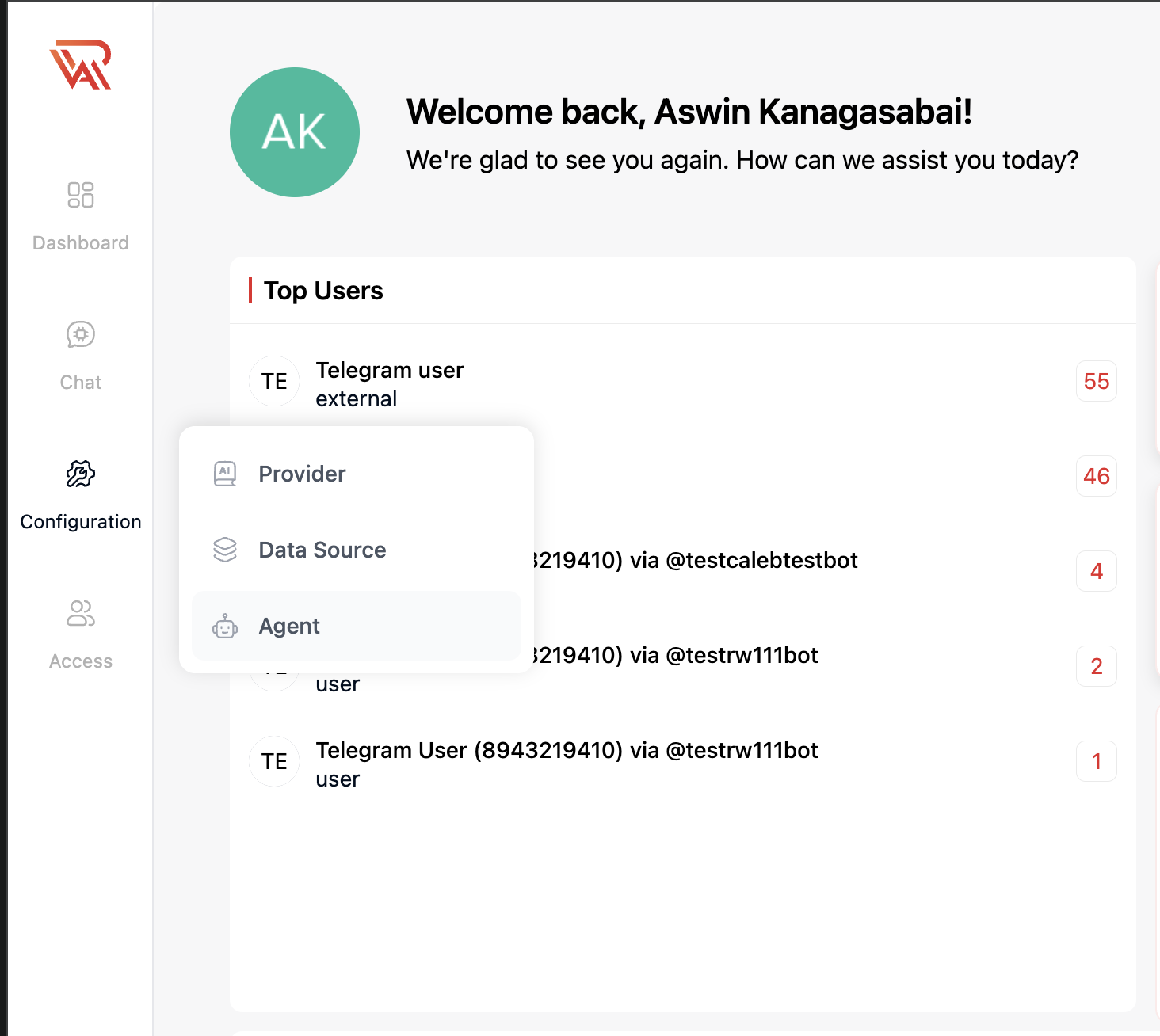
Step 2: Open Connect Telegram
On the connected agent, click the agent menu (⋮) and select Connect Telegram to reopen the dialog.
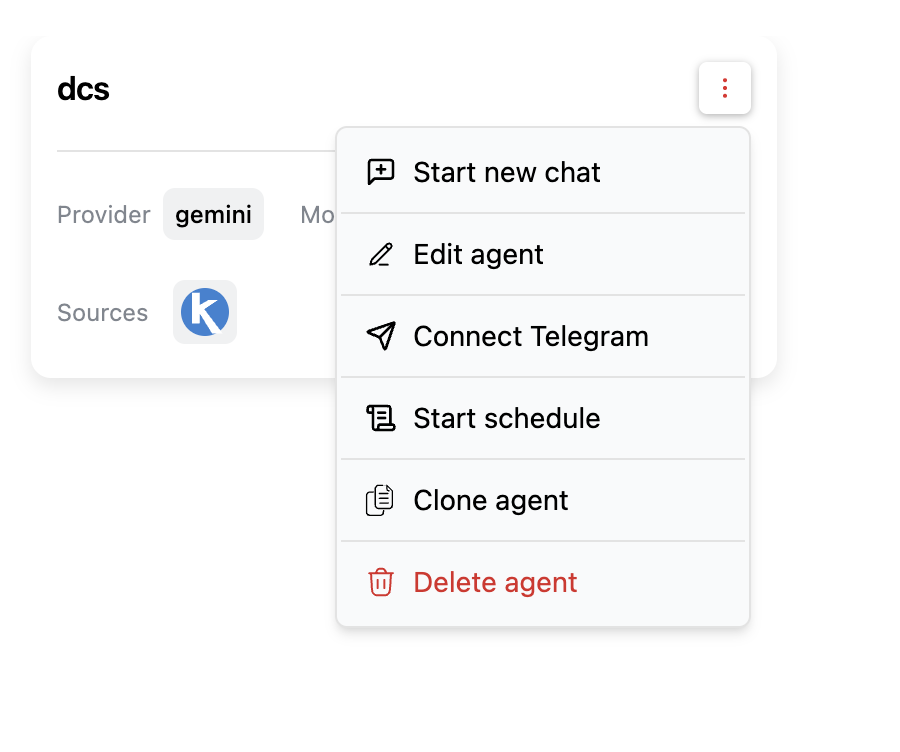
Step 3: Generate the Code
Click the refresh icon next to the Link code field to generate a code.
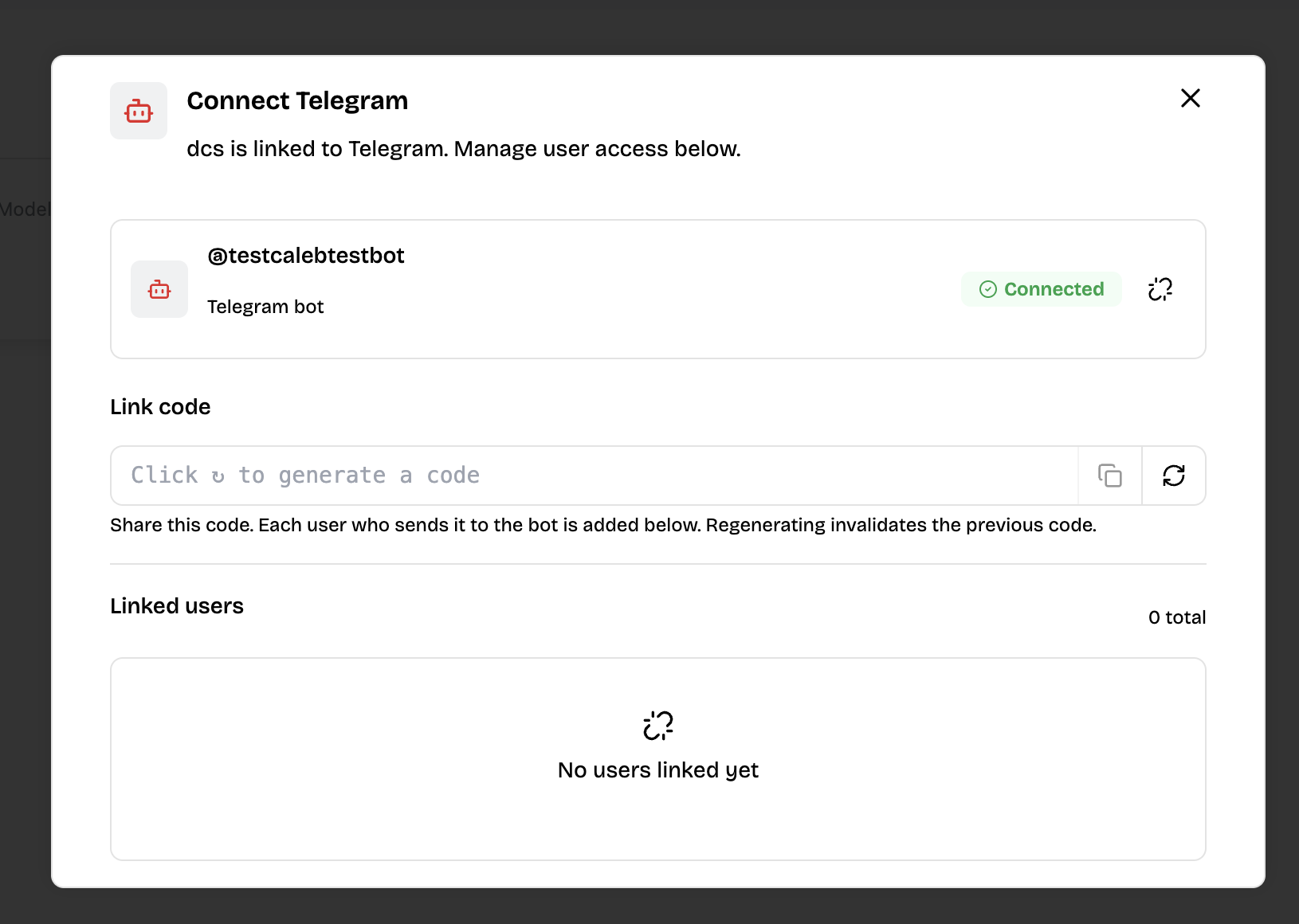
Step 4: Share the Code
Copy the code and send it to the user. Give them the bot link (https://t.me/<your_bot_username>) along with the code, or point them to the end-user setup guide for the exact steps.
Once the user sends the code to the bot in Telegram, they appear under Linked users in this dialog.
معلومات
- The link code is valid for 4 hours. If it expires before the user enters it, regenerate a new one.
- Regenerating the code invalidates the previous one.